Reviewing the PeopleSoft Documents
Use the Document Builder - Document page (IB_LOGICALSCHEMA) to view and edit a document in the Document Builder.
Before using the Data Export Import Utility for bank statement transformation, review the PeopleSoft Documents delivered for use with addenda parsing.
Navigation:
PeopleSoft provides two source documents and two target documents for addenda parsing:
-
Source Documents
-
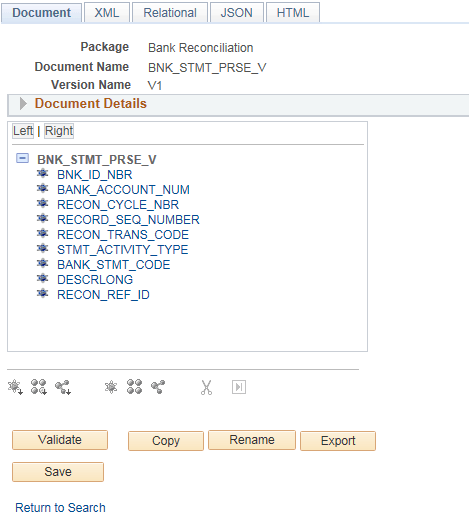
BNK_STMT_PRSE_V - Previous Day Bank Statement
-
BNK_SDSTMT_PRSE - Same Day Bank Statement
-
-
Target Documents
-
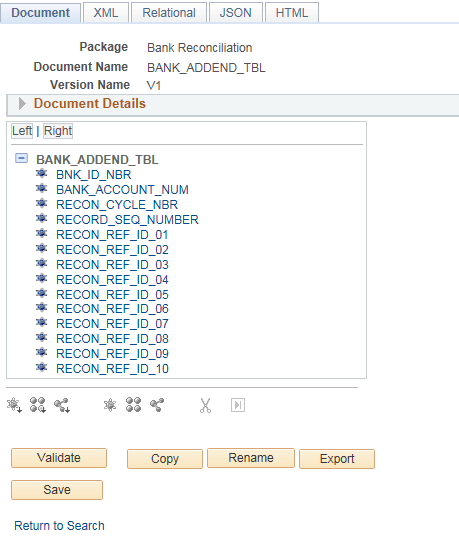
BANK_ADDEND_TBL – Previous Day Bank Statement
-
BNK_SDADDND_TBL – Same Day Bank Statement
-
This example illustrates the fields and controls on the source document for previous day bank statements. PeopleSoft also delivers a source document for same day bank statements.
This example illustrates the fields and controls on the target document for previous day bank statements. PeopleSoft also delivers a target document for same day bank statements.
For more information, see Application Fundamentals: Mapping File Layouts and Document Relationships.
For more information about defining a PeopleSoft document, see the PeopleTools product documentation.