Simplified Analytics
Simplified Analytics in the Billing Fluid WorkCenter enable users to compare metrics among the Billing Specialists or view which Billing Customers are currently on hold. With Simplified Analytics, users can create, customize and save analytic reports, and drill down to detailed information.
Simplified Analytics enables:
-
End users of a fluid application page to create contextual analytic reports. They can create their own reports based on the pre-defined templates by selecting the fields, filling the prompt fields, defining the layout, and selecting different types of visualizations.
-
Administrators or super user can create and publish reports (based on the configured base templates) to all users of the component.
-
End users can add a saved analytic report to the home page and view later.
Note:
To enable Simplified Analytics for a component, application developers or business administrators have to associate one or more Pivot Grid models (or base templates) to a component. They can also map page fields to the prompts that are associated with the template model to define the required context.
The Simplified Analytics feature is only available for fluid components in PeopleTools 8.55 or later. This feature must be enabled for fluid components before users can use the Simplified Analytics Wizard to create and view analytic reports.
| Simplified Analytic Name | Pivot Grid Model Name | Usage |
|---|---|---|
|
Billing Specialist Workload |
BI_SPLST_WORKLOAD_SA |
Enables a user to evaluate the number and amount of the pending invoices assigned to each billing specialist. |
|
Billing Customers on Hold |
BI_HOLD_CUST_SA |
Enables a user to view which customers have been placed on hold, have pending billing invoices and/or recent billing activity. |
Enabling/Disabling Simplified Analytics in Billing Fluid WorkCenter
For Simplified Analytics, pivot grids must be assigned to a component. A pivot grid attached to a component forms the base of a Simplified Analytic.
Note:
Simplified Analytics is not available in small form factor (SFF).
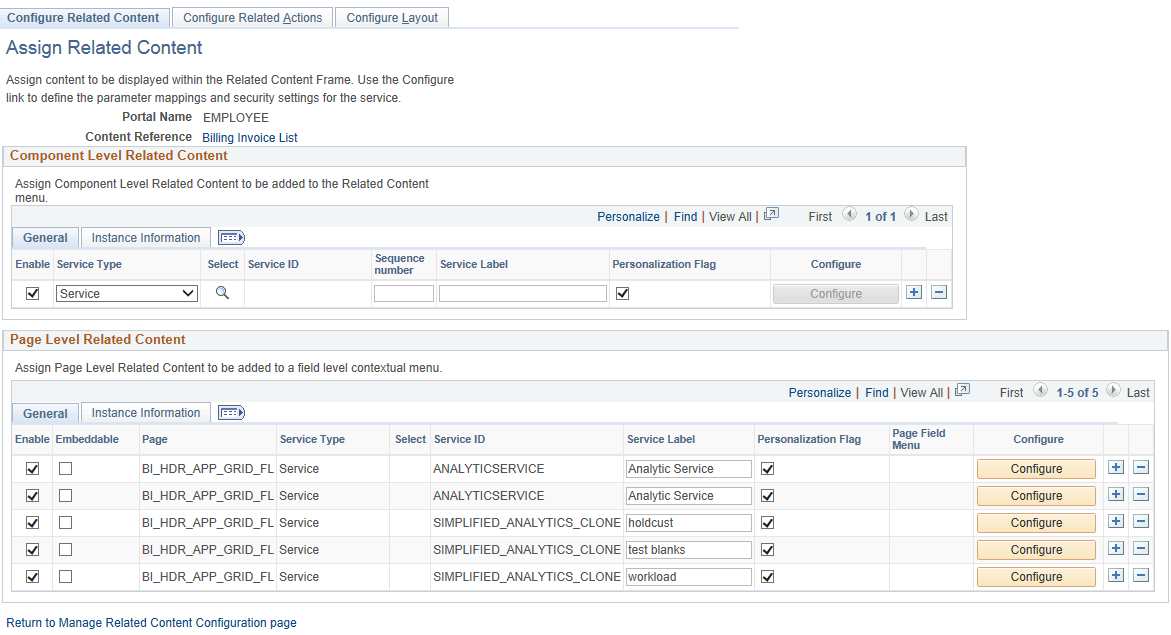
Use the Assign Related Content (PTCS_SERVICECFG) page to enable/disable Simplified Analytics in the Billing Fluid WorkCenter.
Navigation:
Search for Billing Invoice List, and then click Edit. Verify if the Enable check box is selected for the Simplified Analytics.
Select/Deselect the Enable check box to enable/disable Simplified Analytics.
This example illustrates the fields and controls on the Assign Related Content page.
When Simplified Analytics is assigned to a component and enabled, the My Analytics panel is displayed on the right side of the component.
This example illustrates the fields and controls on the My Analytics panel.
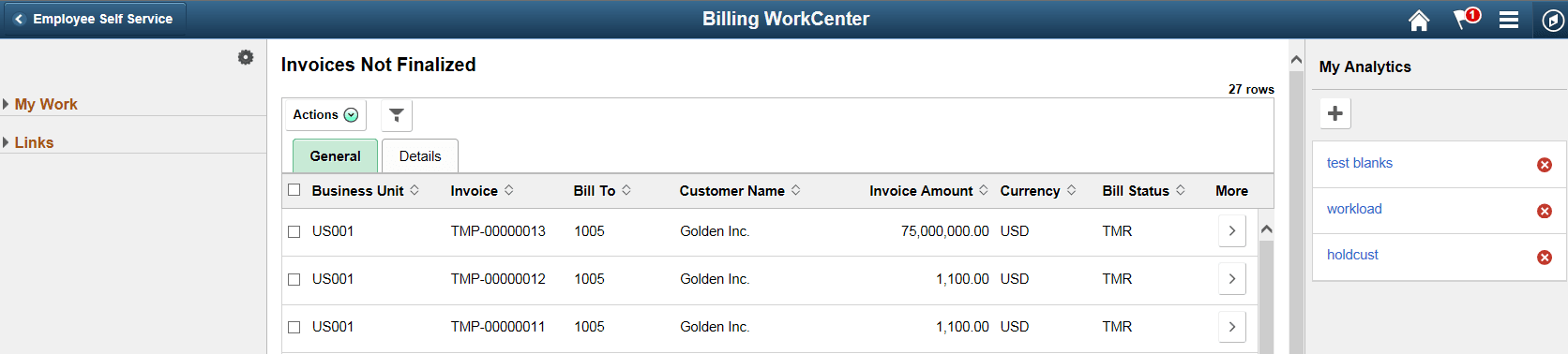
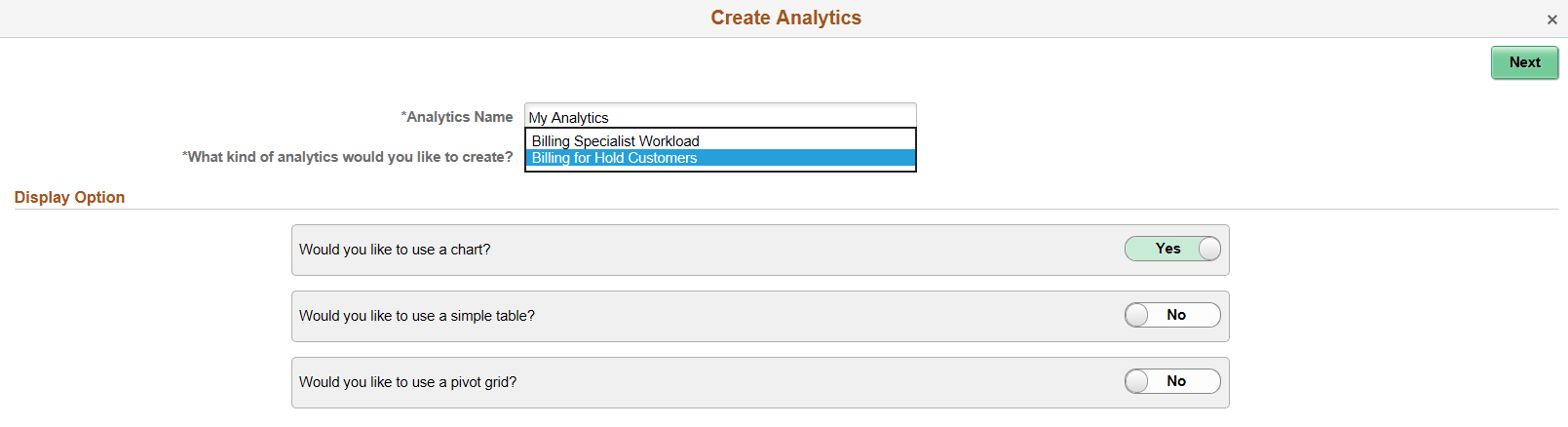
When adding analytics you can choose the template. Select the + button to create a new Analytic.
Note:
If only one template is enabled, then there will be no dropdown list displayed. This is by design of Simplified Analytics.
This example illustrates the fields and controls on the Create Analytics page.
For additional information on Simplified Analytics, see PeopleTools: Pivot Grid