High Value Payments Page
Use the High Value Payments page (TR_WC_FG_GRID) to display high value payments awaiting dispatch; dispatch or flag selected payments for hold.
Navigation:
Click the Financial Gateway: High Value Payments link.
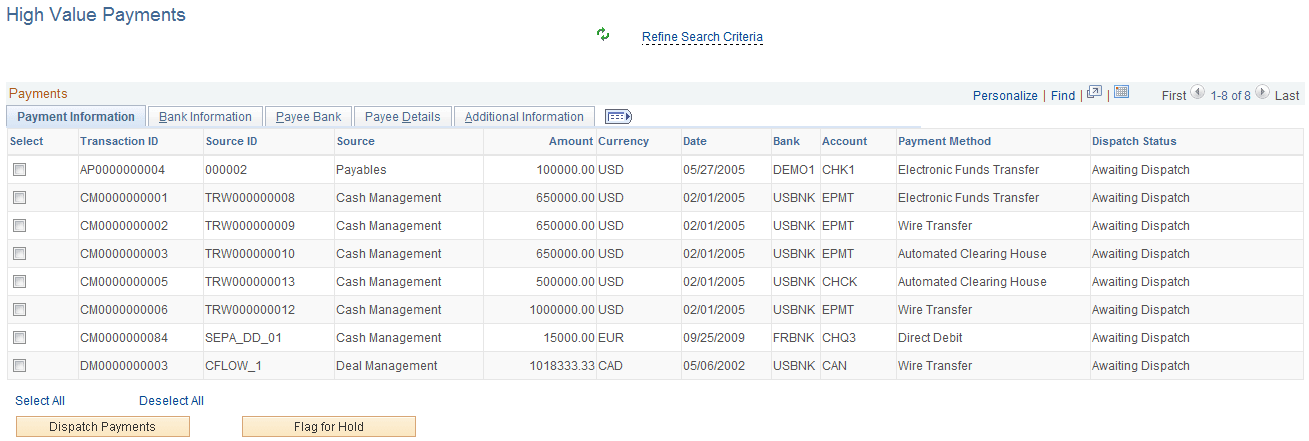
This example illustrates the fields and controls on the High Value Payments page - Payment Information tab.
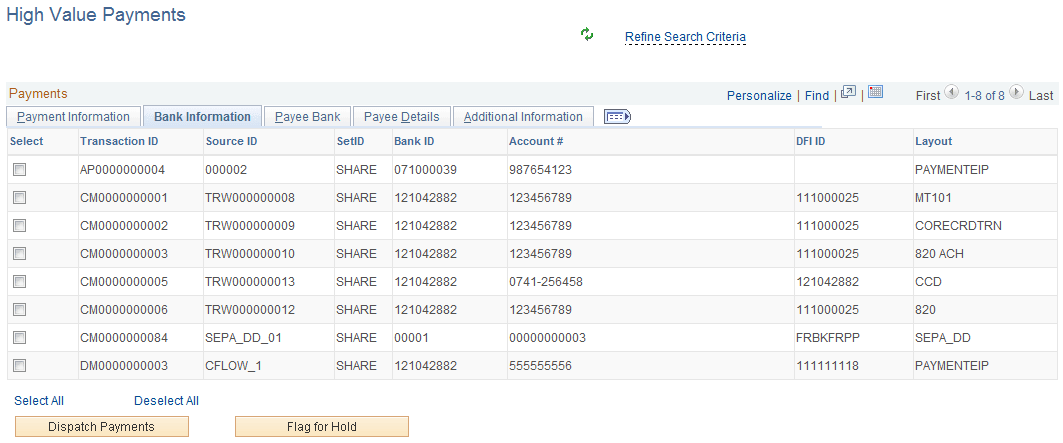
This example illustrates the fields and controls on the High Value Payments page - Bank Information tab.
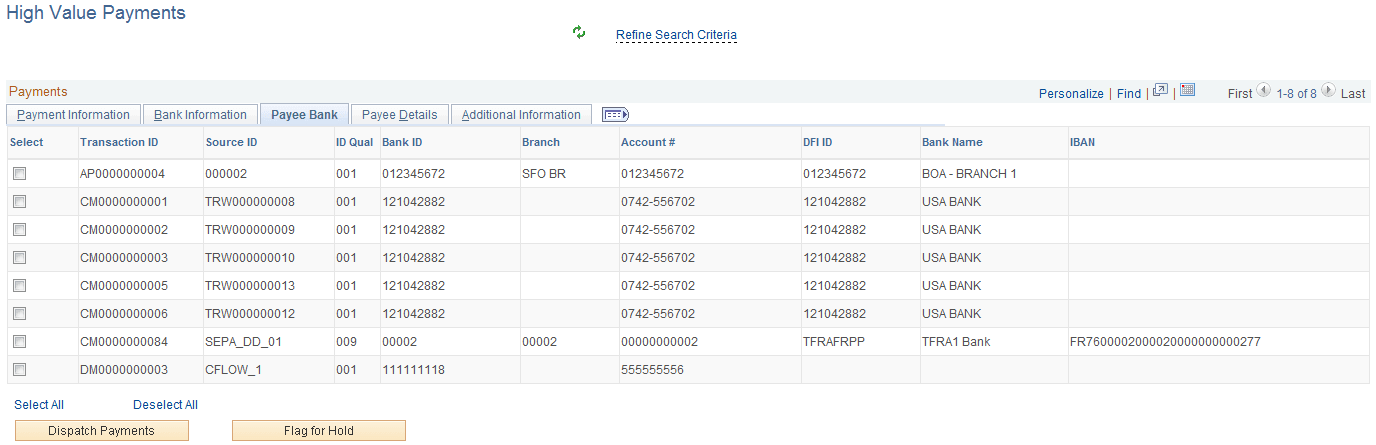
This example illustrates the fields and controls on the High Value Payments page - Payee Bank tab.
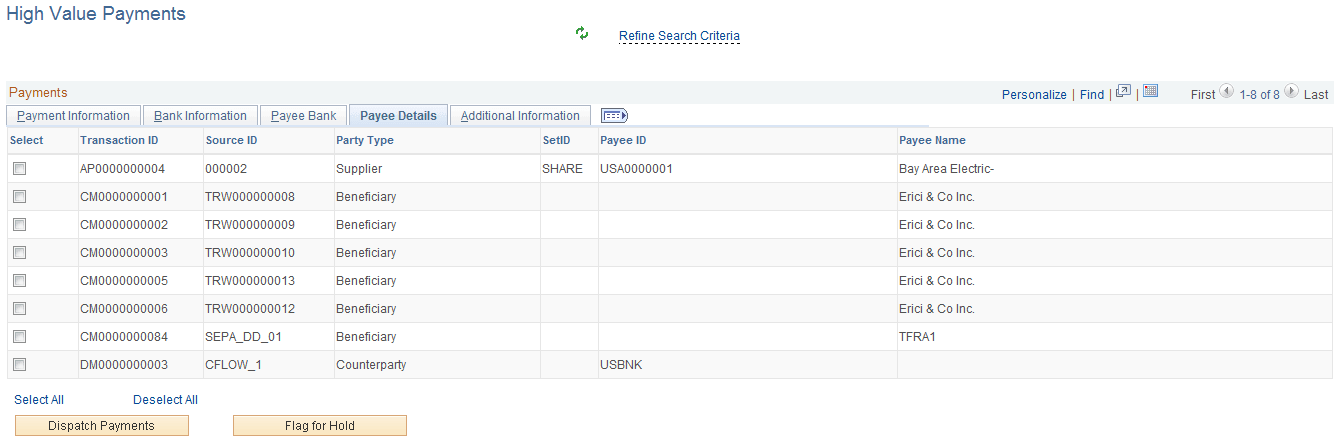
This example illustrates the fields and controls on the High Value Payments page - Payee Details tab.
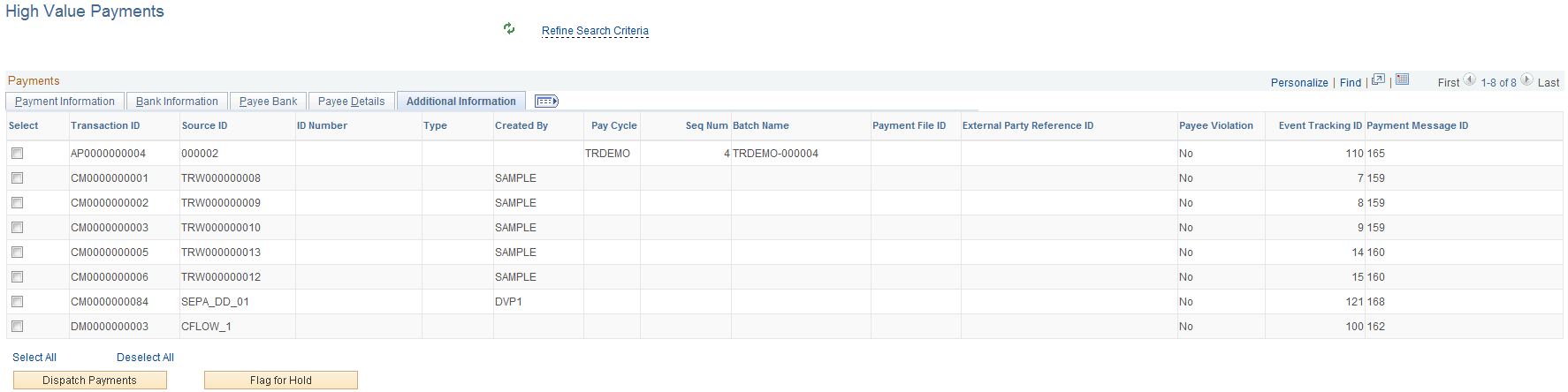
This example illustrates the fields and controls on the High Value Payments page - Additional Information tab.
| Field or Control | Description |
|---|---|
|
Refine Search Criteria |
Hover the cursor over this link to view filters currently in use in the grid. Click the link to enter filter values on the Refine Search Criteria page. This grid uses the High Value Payments (FG_HVP) filter and you can change these filter values to display results in the grid:
|
|
Dispatch Payments |
Click this button after selecting one or more payments to dispatch the selected payments. |
|
Flag for Hold |
Click this button after selecting one or more payments to place a hold on the selected payments. |