Treasury WorkCenter Page - Unpaid Payments (Work Management Enabled)
This is an example for the Work Management enabled page. Use the Treasury WorkCenter page when Work Management is enabled to access and manage outstanding transactions in various views.
Navigation
Select the Treasury WorkCenter tile.
This example illustrates the fields and controls on the Treasury WorkCenter with Work Management enabled.
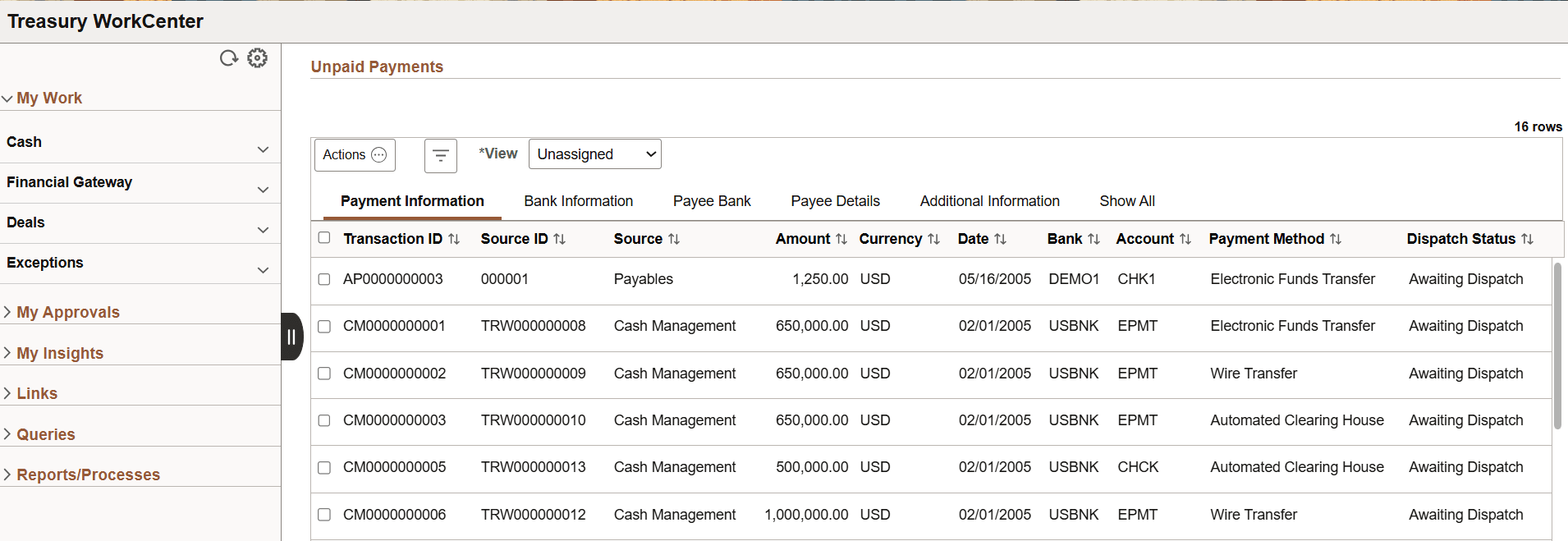
When Work Management is enabled, there are two changes on the WorkCenter page:
-
The View drop-down box appears above the grid.
-
Additional action options are added to the Actions button.
-
The original action options remain. The additional (Work Management) action options depend on the View option selected.
See Enterprise Components: Understanding the Work Management Framework, Actions by View section for more information.