Mapping Custom Integration Requirements
One Excel workbook is delivered in the Excel directory of SCM 9.0 containing a tab (worksheet) for each of the sample EDI X.12 transaction sets that have been mapped to PeopleSoft.
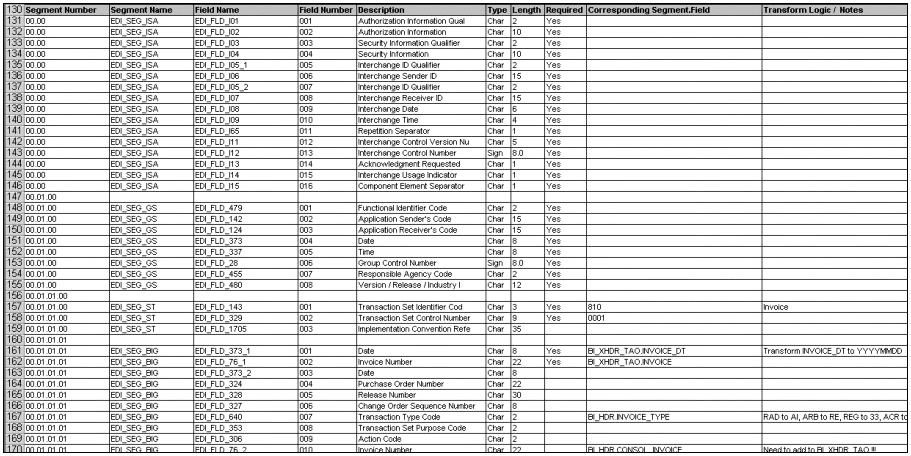
The following figure shows an example from one of the worksheets that shows the relationship between the segments and elements of the transaction set and the segments and fields of the corresponding PeopleSoft message, and any logic required to transform between them. Each worksheet provides documentation of the delivered XSLT transforms between PeopleSoft and EDI X.12 transaction formats.
This example illustrates the fields and controls on the Example of a worksheet for EDI X.12 transaction sets. You can find definitions for the fields and controls later on this page.
The first step to implementing custom integrations for a trading partner is to create a field-by-field attribute mapping worksheet for each integration. A copy of the relevant sample worksheets should be made for each trading partner, and then modified by a functional analyst to meet the unique needs of the trading partner.