Express Item Entry Page
Use the Express Item Entry page (PV_EXPRESS_REQ) to request express items.
Navigation:
This example illustrates the fields and controls on the Express Item Entry page. You can find definitions for the fields and controls later on this page.
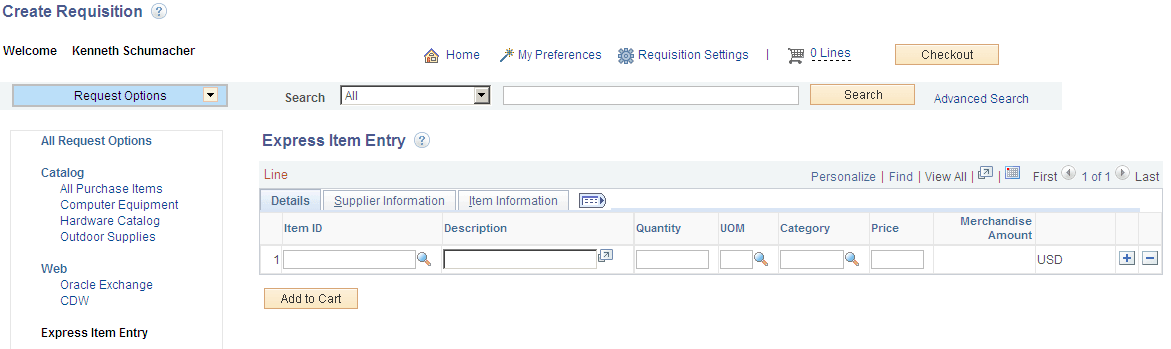
| Field or Control | Description |
|---|---|
|
Item ID |
Select an item ID. If the requester uses assigned catalogs, then the items that are available are limited to those items from the catalogs that they are assigned. If the requester doesn't use assigned catalogs, then all items are available. |
|
Description |
This is an open format for requesters to enter data. |
|
Quantity |
The number of items. |
|
UOM (unit of measure) |
Requesters can select from appropriate values or this can be populated from the Requisition Settings page if defaults are available. |
|
Category |
If the item is not associated with a category, this information is supplied by default from the Requisition Settings page if defaults are available. This field is also based on requesters' assigned catalogs. |
|
Price |
User entered field if Item ID is not given by the user. |
|
Curr (currency) |
This is supplied from the Requisition Settings page if defaults are available. |