Recent Invoices Pagelet
Access the Recent Invoices Pagelet
This example illustrates the fields and controls on the Recent Invoices Pagelet. You can find definitions for the fields and controls later on this page.
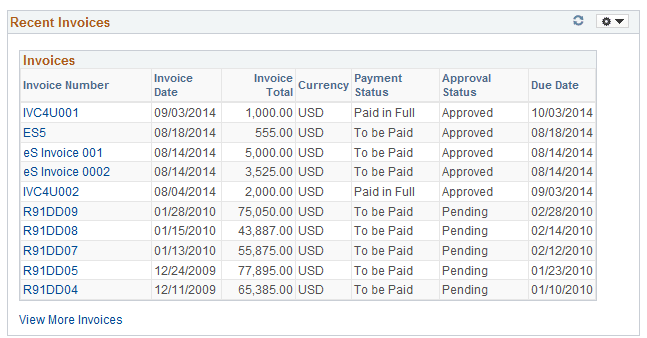
This pagelet displays a list of recently created invoices for a global date range of 90 days, which can be changed. The details of the invoice with invoice number, date created, due date, with payment status and approval status are available.
| Field or Control | Description |
|---|---|
|
Invoice Number |
Click the link to open the Review Invoices – Invoice Cycle page to view the details of payment. |
|
View More Invoices |
Click the link to open the Review Payment Installments – Inquiry page in a new window and view more details of invoices. Note: If you are accessing the Recent Invoices pagelet from Supplier 360 View, the View More Invoices link will open the Review Invoices – Inquiry page |