DCAA Notifications Page
Use the DCAA Notifications page (RUN_EX_DCAA) to set up and run reminder notifications, past due notifications, and notifications of time and expense reports requiring acknowledgements.
Navigation:
This example illustrates the fields and controls on the DCAA Notifications page. You can find definitions for the fields and controls later on this page.
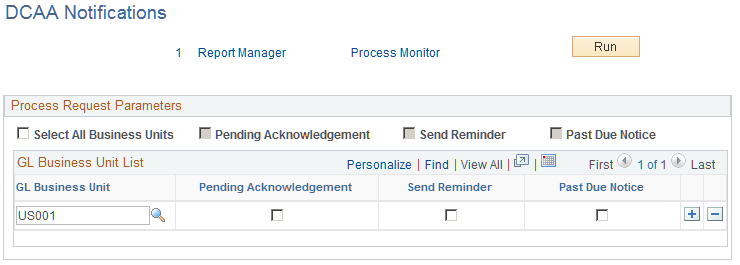
You can create a process to manage all DCAA-related notification types. You can run the process for all general ledger business units enabled for DCAA compliance or you can select one or more business units. Before sending an e-mail notification to employees, PeopleSoft Expenses verifies that they are active and required to be DCAA compliant.
| Field or Control | Description |
|---|---|
|
Select All Business Units |
Select to include all business units. If not selected, you must enter individual business units in the GL Business Unit List grid. |
|
Pending Acknowledgement |
Select to send e-mail notifications to remind employees if there are time and expense reports waiting for their acknowledgement. |
|
Send Reminder |
Select to send e-mail notifications to remind employees of upcoming deadlines. |
|
Past Due Notice |
Select to send e-mail notifications to remind employees of missed deadlines and to save time for a day if none is saved by the cutoff time. |