Expenses Skill Page
Use the Expenses Skill page to create wallet entries and inquire on expense reports.
Navigation:
From a homepage, select the button.
This example illustrates the fields and controls on the Expenses Skill page.
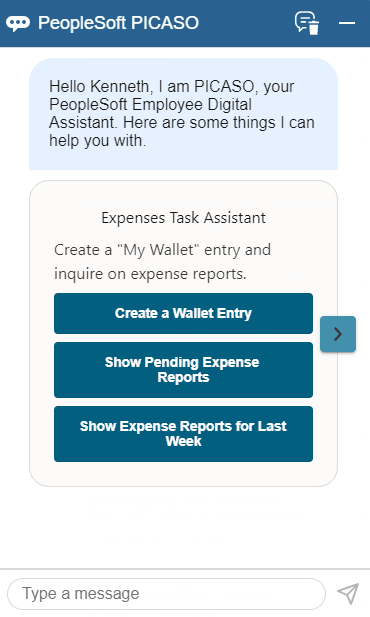
Select one of these options to create wallet entries or inquire on expense reports:
-
Select Create a Wallet Entry to create a My Wallet entry.
-
Select Show my Pending Expense Reports to inquire on expense reports that are in a Pending status.
-
Select Show my Expense Reports for Last Week to inquire on expense reports created the previous week.
-
Enter text in the "Type a message" field to create a wallet entry or inquire on expense reports.