Expenses WorkCenter - My Approvals (Fluid)
Use the Expenses WorkCenter - My Approvals (Fluid) grouplet to access pending approvals that are assigned to you.
Navigation:
From a Fluid Expenses Homepage, select the Expenses WorkCenter tile, and expand the My Approvals grouplet.
This example illustrates the fields and controls on the Expenses WorkCenter - My Approvals (Fluid) grouplet.
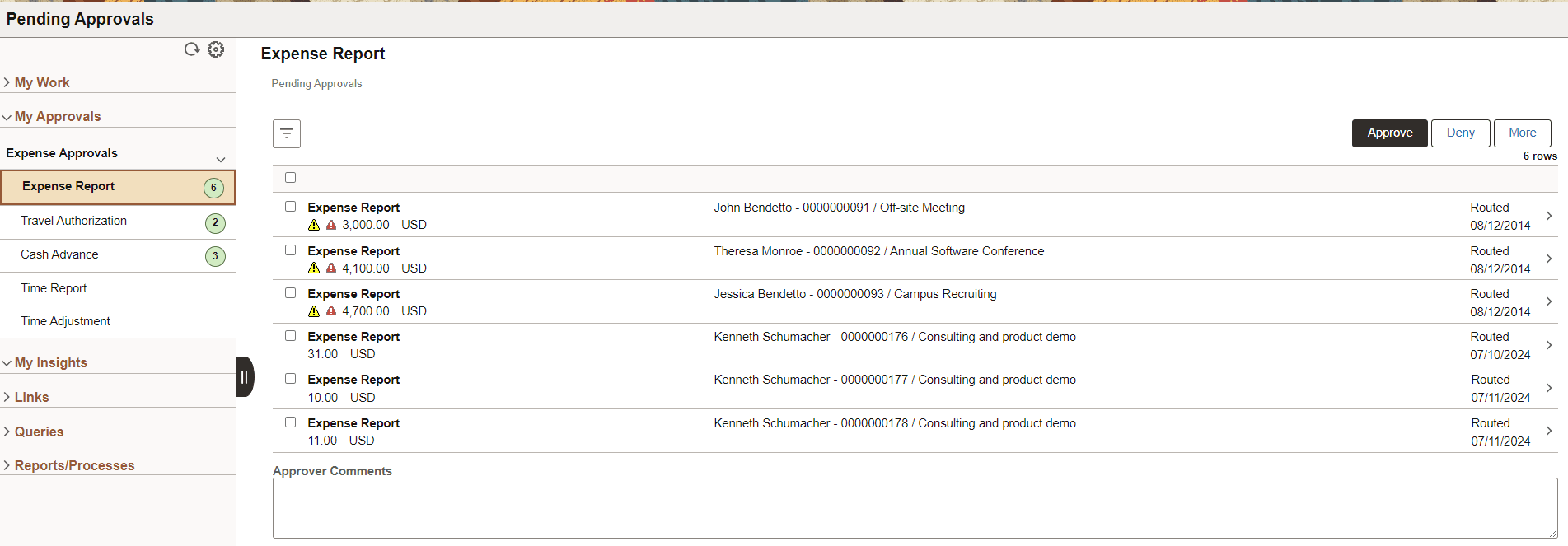
Select one or more Expense transactions to approve, deny, hold, or send back to the submitter.