Top 20 Employee Spenders Pivot Grid
Use the Top 20 Employee Spenders pivot grid to view the top 20 employees who spend the most.
This example illustrates the fields and controls on the Top 20 Employee Spenders pivot grid.
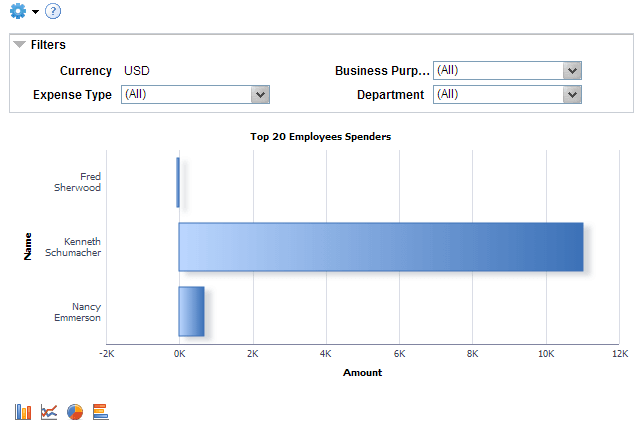
This query selects amount and employee data from expense reports that do not have a Pending, Denied, or Closed status within the business unit. All amounts are displayed in the currency of the business unit. Use the Filter section to reduce the data displayed by department.
| Field or Control | Description |
|---|---|
|
Business Unit |
Displays the business unit. To change the value of this field, click the Options Menu icon and select Prompts. |