Configuring Approval Framework for Reconciliations
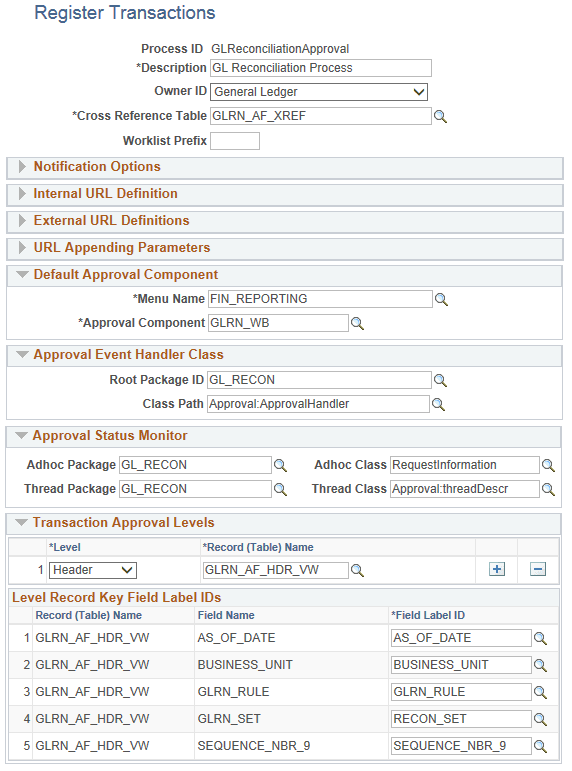
PeopleSoft delvers a default Approval Framework structure for the Account Reconciliation process. You can access the Process ID, GLReconciliationApproval, to view or modify settings if needed.
Navigation:
This example illustrates the GLReconciliationApproval Process ID used in Approval Framework for account reconciliations.
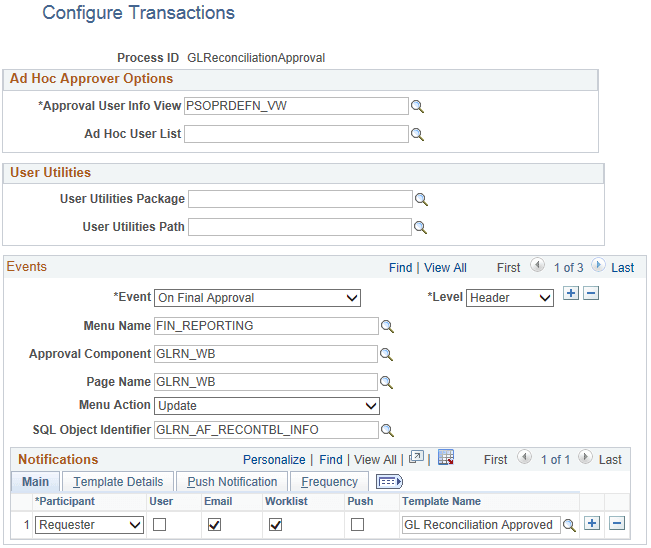
View the settings on the Configure Transactions page, Process ID: GLReconciliationApproval.
Navigation:
This example illustrates the fields and controls on the Configure Transaction page for the GLReconciliationApproval Process ID.
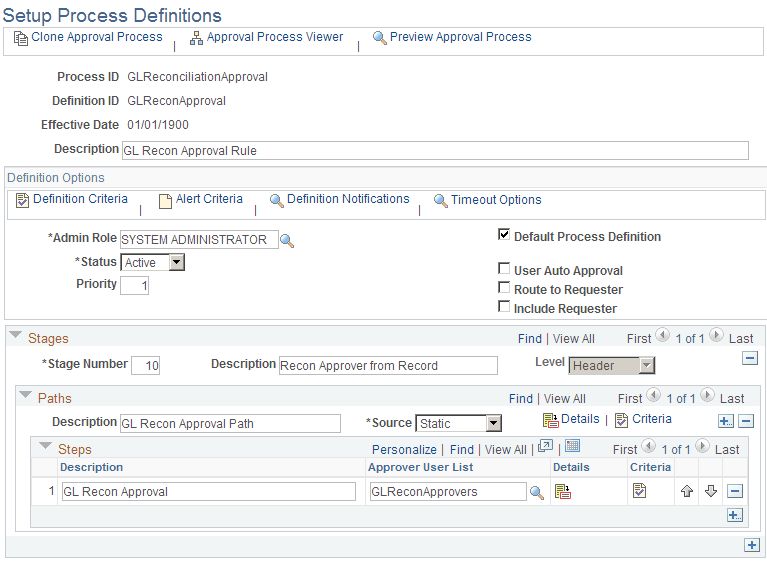
View the settings on the Setup Process Definitions page, Process ID: GLReconciliationApproval.
Navigation:
This example illustrates the fields and controls on the Setup Process Definitions page for the GLReconciliationApproval Process ID:
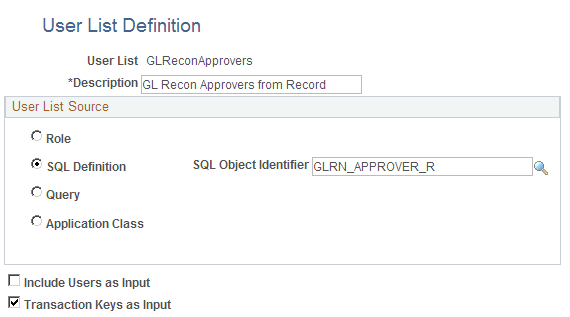
View the settings on the User List Definition page, Process ID: GLReconciliationApproval.
Navigation:
This example illustrates the fields and controls on the User List Definition page for the User List, ReconApprovers: