Submitting the Period Flattener Request Process
Use the Period Flattener page to submit the Period Flattener Request process. This process uses the calendar provided to determine the content and hierarchy of the Accounting Period dimension.
Navigation:
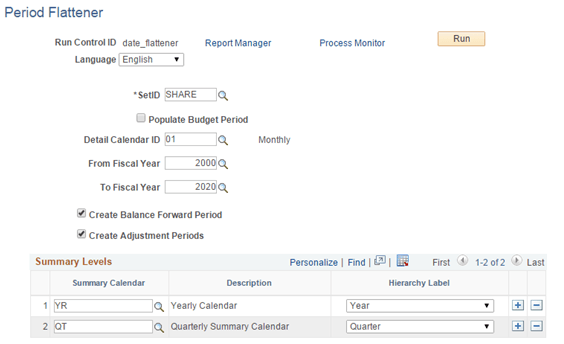
This example illustrates the fields and controls on the Period Flattener page.
Be sure to:
-
Select the Create Balance Forward Period check box.
-
Select the Create Adjustment Periods check box.
-
Enter your yearly calendar and quarterly summary calendar in the Summary Levels section.
Note:
Summary Calendars are a pre-requisite to running this process. Therefore, define the summary calendars for the selected Fiscal Year range before running the process.