Lease WorkCenter - My Work
Use the Lease WorkCenter - My Work grouplet to access and manage lease statuses, critical dates, and processes.
Navigation:
.
This example illustrates the fields and controls on the Lease WorkCenter - My Work grouplet.
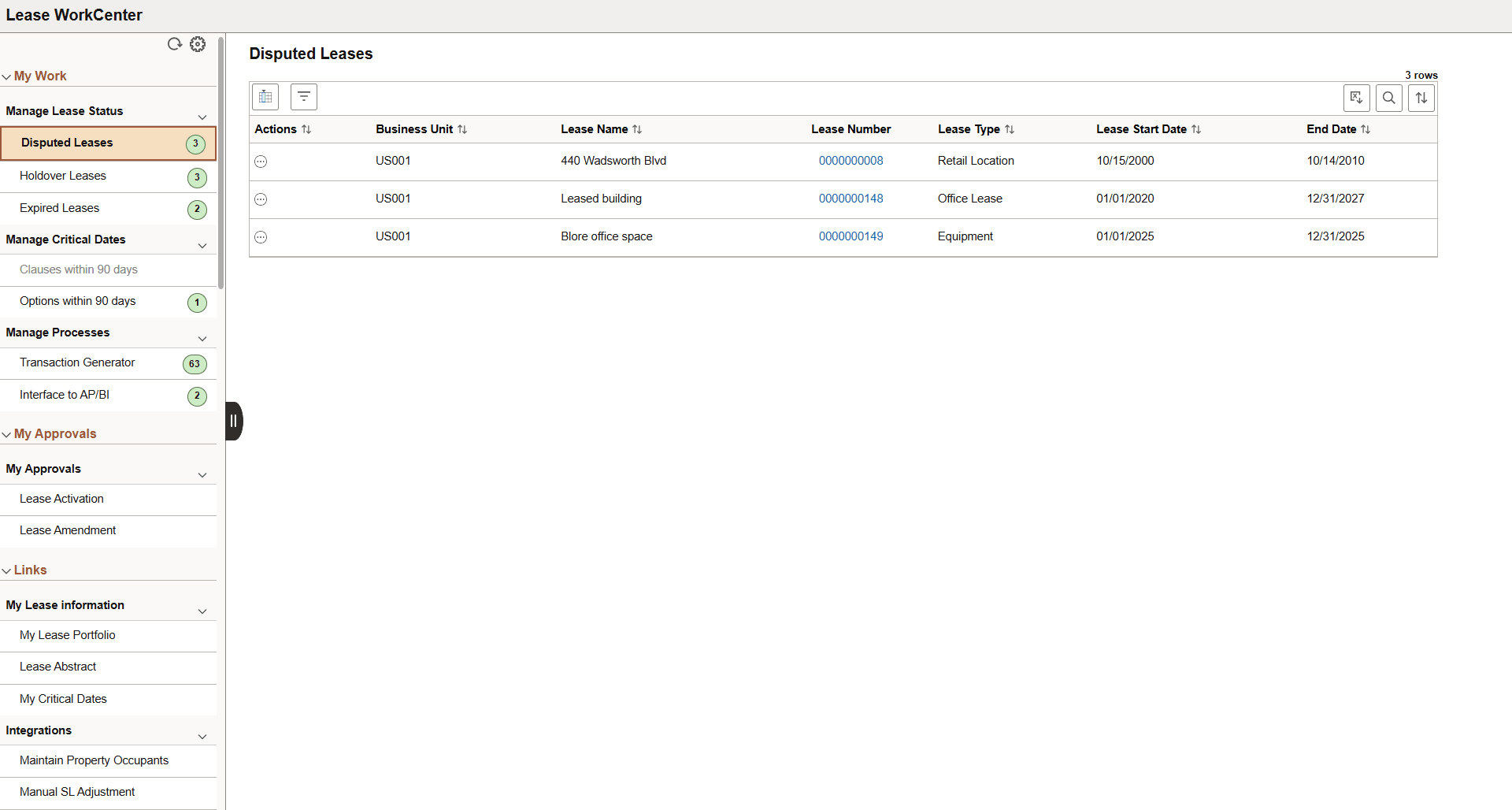
The My Work grouplet contain the following sections:
-
Manage Lease Statuses:
-
Disputed Leases
Use the Disputed Leases section to view and manage the leases in dispute status. Select the lease number to view the lease details. The Actions field includes Lease Abstract to navigate to the Lease Abstract Page, Add To Portfolio to add the lease to your portfolio, and Resolve Dispute to resolve dispute on the lease to enable all lease transactions.
-
Holdover Leases
Use the Holdover Leases section to view and manage the leases in holdover status. Users can change the lease to dispute using the Actions field.
-
Expired Leases
Use the Expired Leases section to view and manage the leases in expired status. Users can change the lease to holdover using the Actions field.
-
-
Manage Critical Dates:
-
Clauses within 90 days
Displays the leases having clause deadline date within 90 days. The system sends notifications for active critical dates that are enabled and have one or more recipients. Users can cancel notification and manage amendments using the using the Actions field.
-
Options within 90 days
Displays the leases having option date within 90 days.
-
-
Manage Processes:
-
Transaction Generator
Displays the number of pending transactions by business unit and lease type. Select the displayed quantity to view the details of the leases pending processing. Users can run the MTG process for a business unit using the Actions field.
-
Interface to AP/BI.
Displays the number of AP/BI pending transactions by business unit and lease type. Select the displayed quantity to view the details of the leases pending processing. Users can run the APBI interface for a business unit using the Actions field.
-