Payables WorkCenter - My Work Pagelet
Use the Payables WorkCenter page (AP_HDR_APP_GRID_FL) to access My Work group box using the PeopleSoft Fluid User Interface.
Navigation:
Select the Payables WorkCenter tile.
This example illustrates the fields and controls on the Payables WorkCenter page. You can find definitions for the fields and controls later on this page.
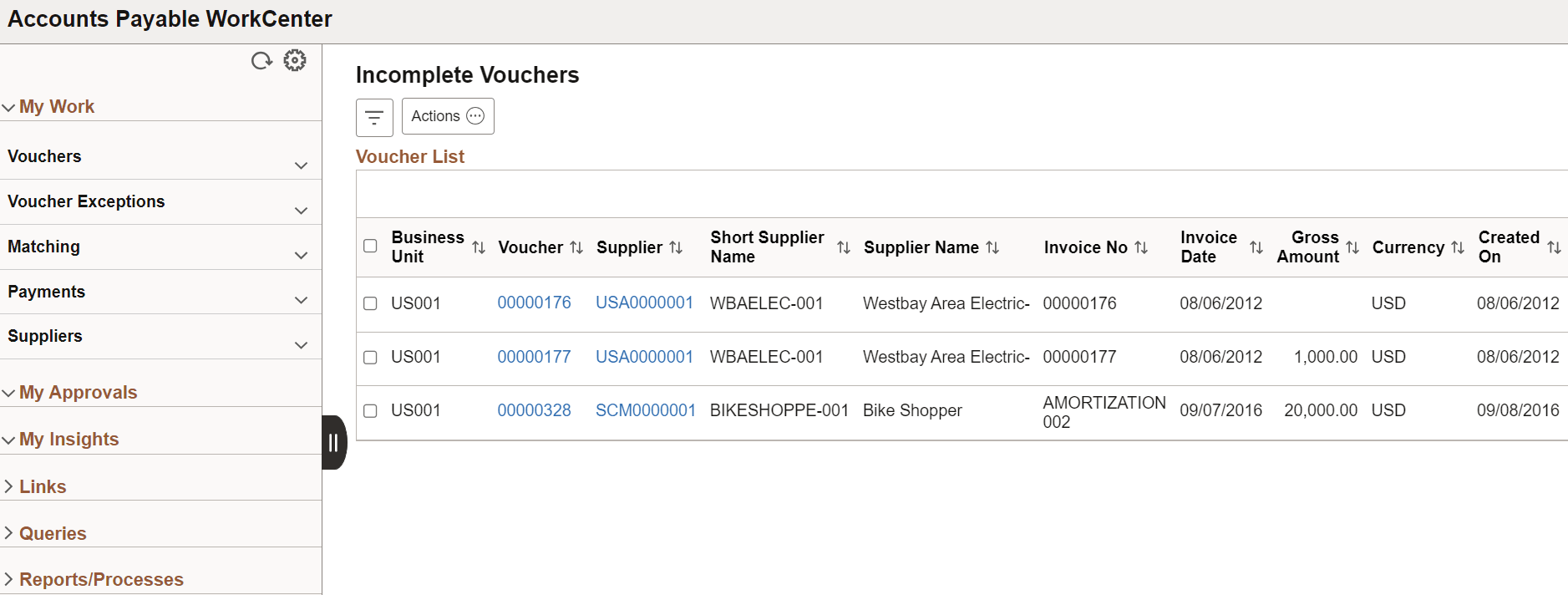
| Field or Control | Description |
|---|---|
|
|
Select the Personalize icon to access these options:
You can also use the Personalize icon on each grid to reorder/ hide columns and sort columns by order. For more information, see PeopleTools Applications User’s Guide, “Working With the PeopleSoft Fluid User Interface", Working with Fluid Pages and Controls. |
|
|
Select to open the Refine Filter Criteria page and filter rows to display based on:
|
|
|
Select an action from the drop-down menu to apply to the selected transactions. The available actions are the following:
|


