Projects WorkCenter page
Use the Projects WorkCenter page (PC_WORKCENTER_FL) to access the pagelets such as My Work and Links using the PeopleSoft Fluid User Interface.
Navigation
Select the Projects WorkCenter tile on a PeopleSoft Fluid Home page.
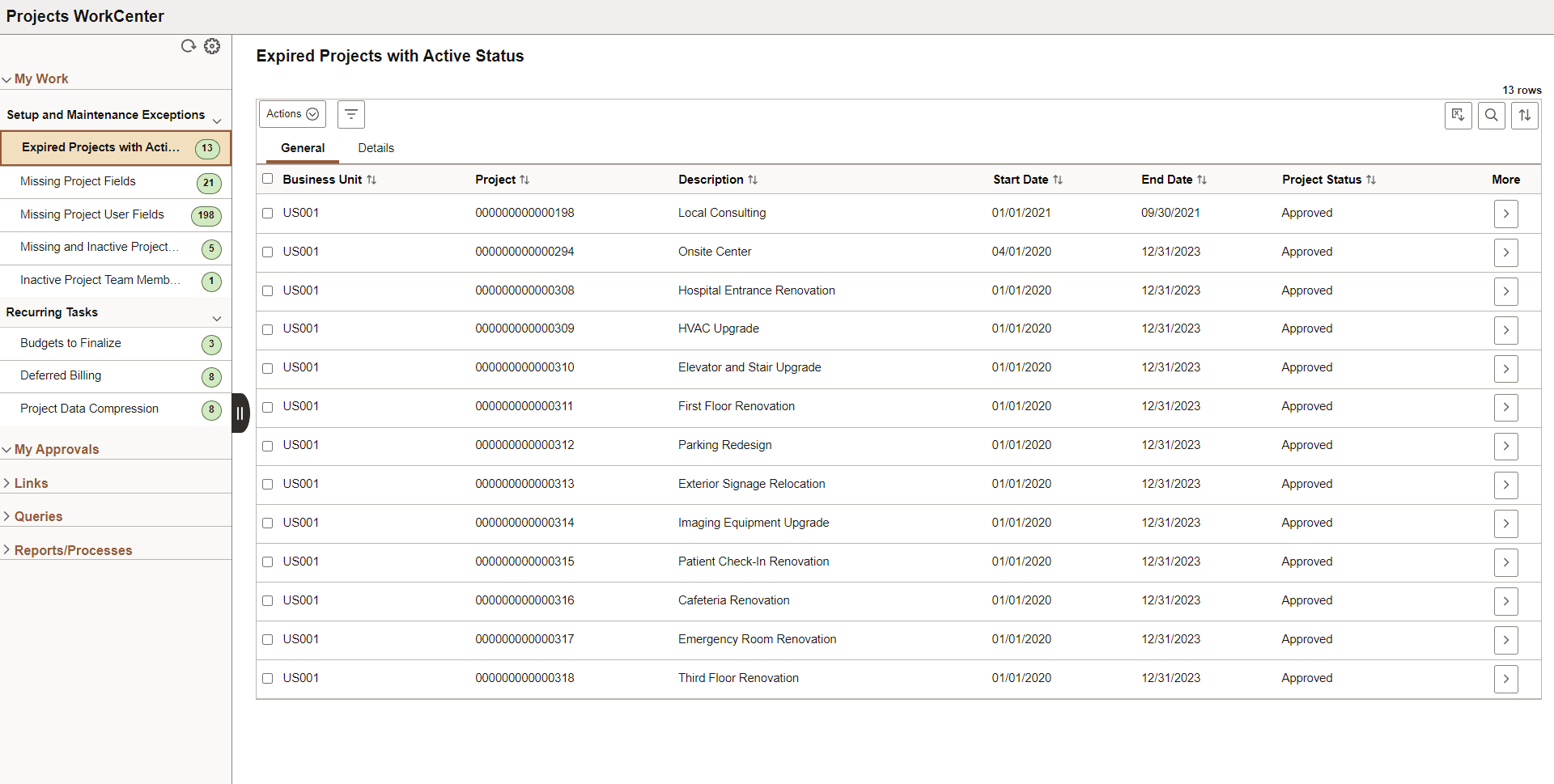
This example illustrates the fields and controls on the Fluid Projects WorkCenter page.
| Field or Control | Description |
|---|---|
|
|
Click the Personalize icon to access these options:
|
|
|
Select rows and click the required action to modify the selected rows. Related actions for each exception are different. |
|
|
Click to access the Refine Filter Criteria page. Based on the selected exception, filter criteria differ from the other. |
 Personalize
 Action
 Filter