Mobile Approval Options
To set up PeopleSoft Mobile Approvals for approving purchase orders, select the Purchase Order transaction on the Mobile Approval Options page (Enterprise Components, Approvals, Approvals, Mobile Approval Options):
This example illustrates the fields and controls on the Mobile Approval Options page. You can find definitions for the fields and controls later on this page.
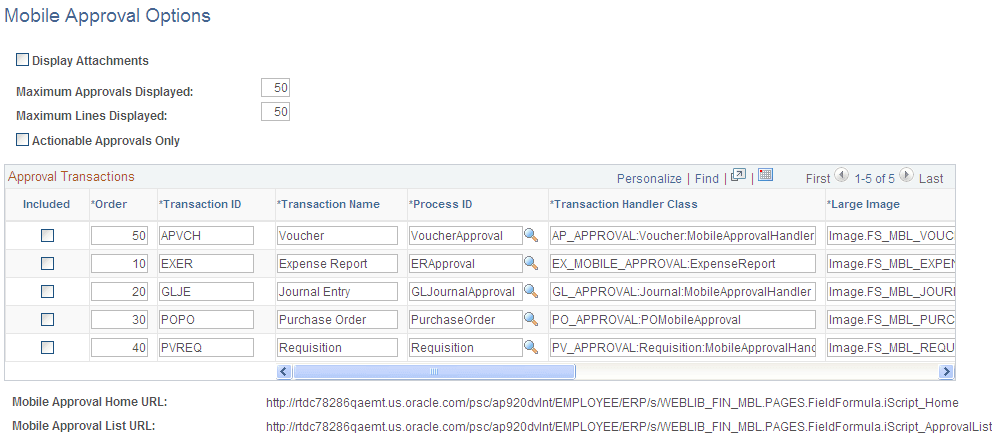
In the Approval Transactions grid, select the Included check box for Purchase Order Transaction ID POPO (Transaction Name is Purchase Order) on the Mobile Approval Options page. This will allow you to use mobile approval for Purchasing.
You also set up display options for mobile approval transactions on this page.
Note:
Viewing attachments is not available for purchase orders in Mobile Approvals.
For more information on setting Mobile Approval options, see PeopleSoft Application Fundamentals documentation,Application Fundamentals: Understanding Fluid Approvals in FSCM