Sample Buyer WorkCenter - Add/Update POs Link
This example demonstrates the functionality on the Links pagelet. Use the Links pagelet to access frequently used links.
This example illustrates the Link pagelet on a sample Buyer WorkCenter.
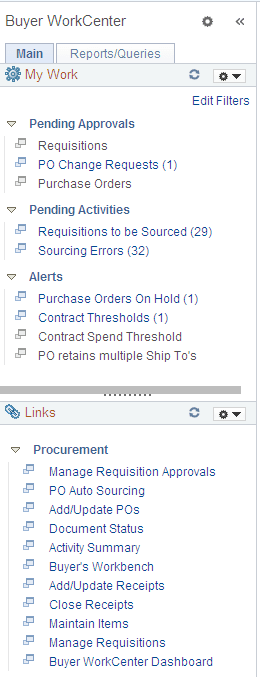
Click the Add/Update POs link in the Links pagelet to display the Purchase Order search page in the transaction area, where you can add a new purchase order or search for an existing purchase order. Click the New Window icon to the left of the link to open the same page in a new window.
Navigation:
-
Click the Add/Update POs link in the Links pagelet.
-
See the documentation for Creating Purchase Order Headers and Creating Purchase Order Lines.