Cash Control Entries to GL Page
Use the Cash Control Entries to GL page (AR_WC_PYMNT_SEL) to display completed cash control entries ready to be sent to GLsystem.
Navigation:
Click the Cash Control Entries to GL link.
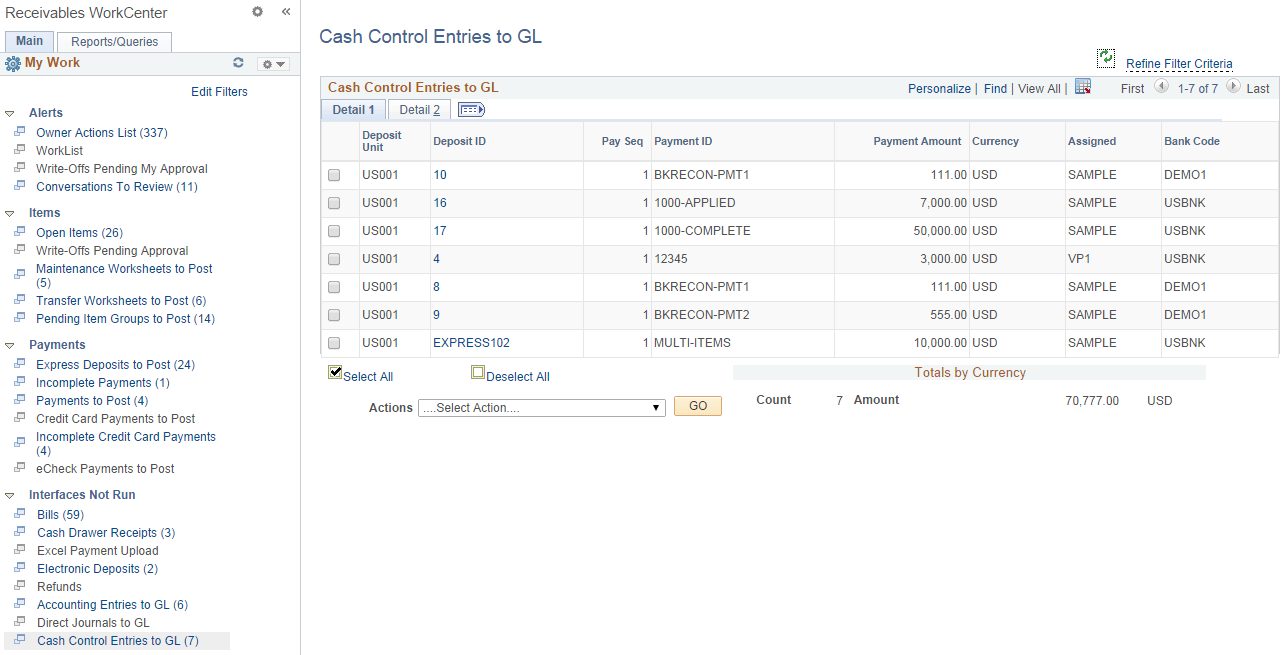
This example illustrates the fields and controls on the Cash Control Entries to GL page - Detail 1 tab.
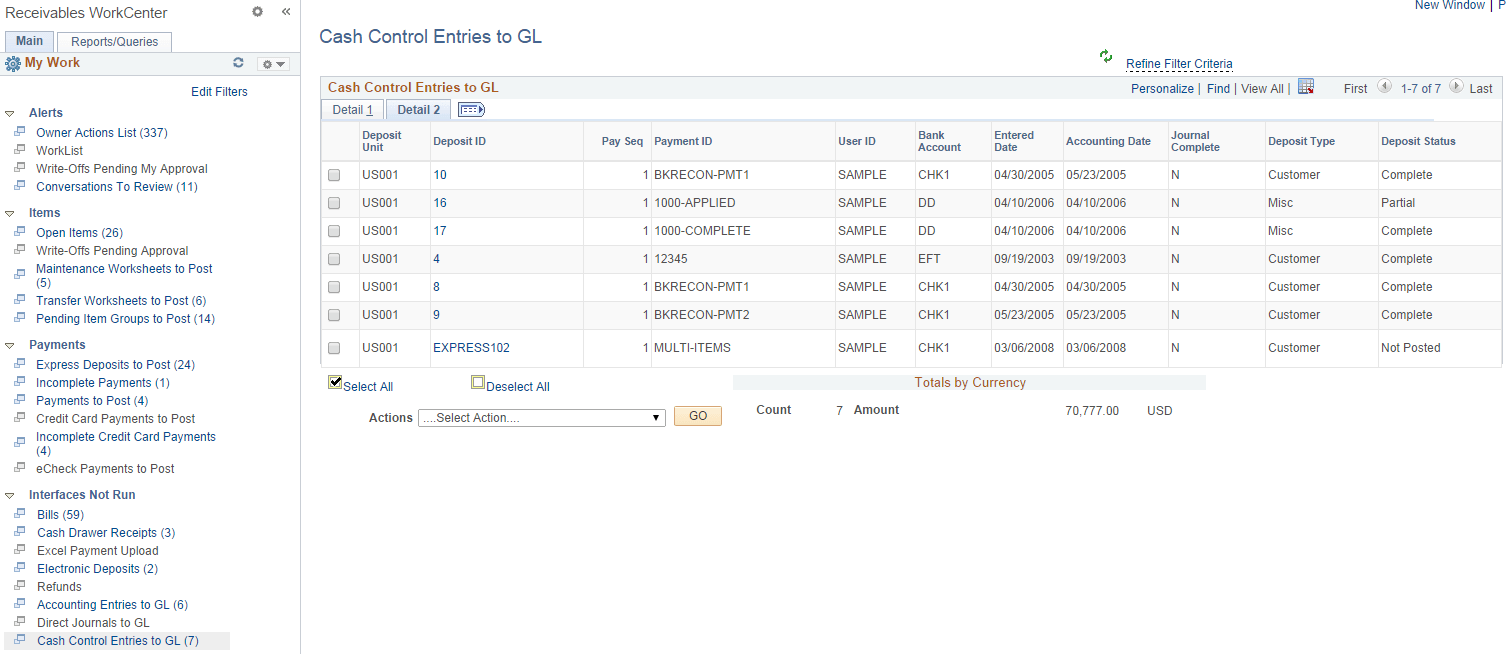
This example illustrates the fields and controls on the Cash Control Entries to GL page - Detail 2 tab.
| Field or Control | Description |
|---|---|
|
Deposit ID |
Click this link to access the Cash Control Review page for the deposit. See the Cash Control Payments Page for more information. |
|
Actions |
Select the Generate Journals action from the list and click the GO button. You can select a single or multiple entries and run the Journal Generator process for the selected entries. |