Condition Monitor Page
Use the Condition Monitor page (RUN_AR_CNDMON) to define the run parameters for the Condition Monitor process.
Navigation:
This example illustrates the fields and controls on the Condition Monitor page. You can find definitions for the fields and controls later on this page.
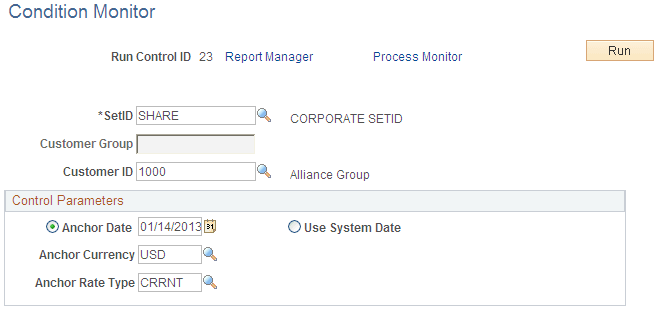
Specify the level to be monitored. Monitor by SetID, Customer Group, or Customer.
| Field or Control | Description |
|---|---|
|
Anchor Date, Anchor Currency, and Anchor Rate Type |
Enter the date, currency code, and rate type used to convert monetary amounts to a common currency for comparison purposes. If you leave these fields blank, the process uses the current date, format currency for the user—who created the run control—in user preferences, and the rate type for the business unit. |
|
Use System Date |
Select to use the system date as the anchor date. |