Customer Aging Analysis Pagelet
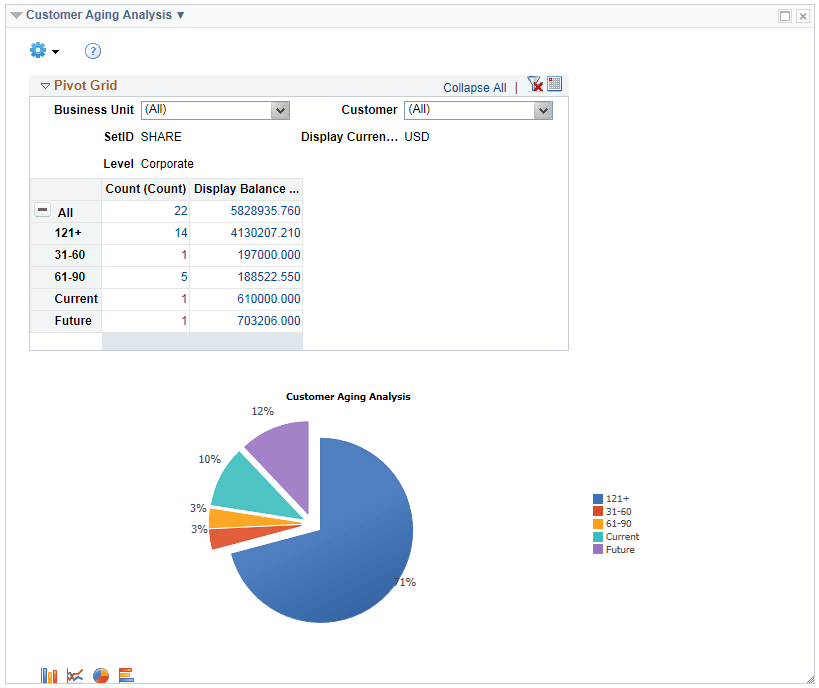
Use the Customer Aging Analysis pagelet (C360_AR_DB_CUST_AGING) to view the aging balance by aging category and a count of open items making up the aging balance. The Aging ID in the query defaults from the AR Business Unit options.
This example illustrates the fields and controls on the Customer Aging Analysis pagelet.
You can also use the Customer Aging Analysis Filter to further refine the returned data. To save filters, edit the filters on the My Personalization page.