Customer Top Items Pagelet
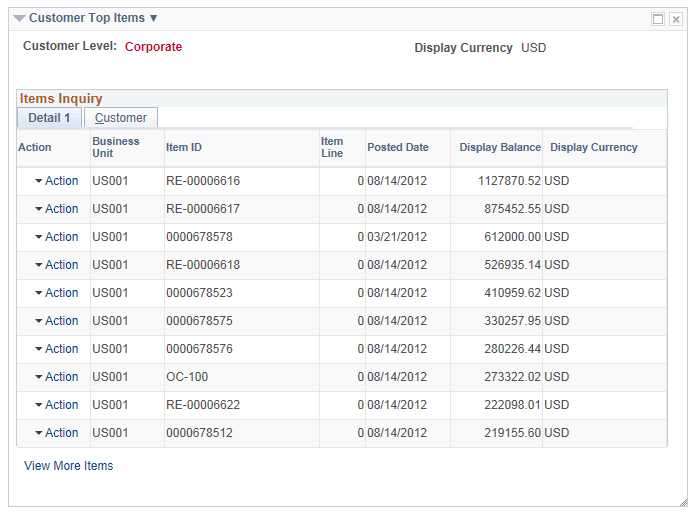
Use the Customer Top Items pagelet (C360_TOP_N_ITEM) to view the top 10 items by item balance amount base.
This example illustrates the fields and controls on the Customer Top Items pagelet.
| Field or Control | Description |
|---|---|
|
Top Items Filter |
Click the action glyph next to the pagelet title. Click the Top Items Filter link to open the Filter Values - Refine Search Criteria page and enter new values on the Top Items Filter. You can also access this filter on the My Personalizations page. |
|
Action |
Click the Action menu to select the following:
|
|
View More Items |
Appears when the inquiry returns more than 10 transactions. Click the link to open the Items Inquiry search page. |