Filters Page
Use the Filters page (EOAWMA_FLTR_SCF) to refine the results displayed in the Pending Approvals page.
Navigation:
From the Pending Approvals page, select the Filter icon.
This example illustrates the fields and controls on the Filters page as displayed on a desktop (LFF).
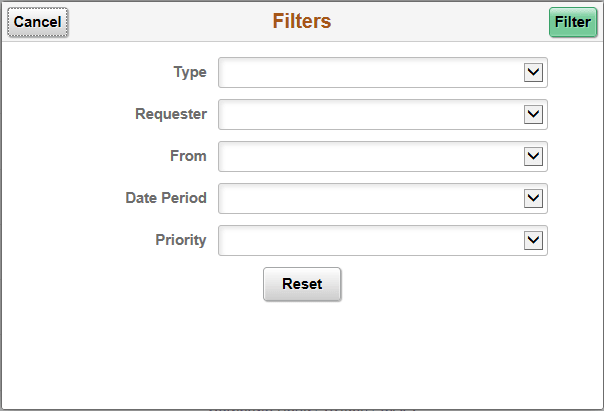
| Field or Control | Description |
|---|---|
|
Cancel |
Select to return to the Pending Approvals page. |
|
Filter |
Select to apply the filters and refine the approval request results on the Pending Approvals page. The Filter icon on the Pending Approvals page changes to green, indicating that there are filters in place. |
|
Reset |
Select to clear filter fields. |
|
Type |
Select the transaction type to view pending approvals for that type. |
|
Requester |
Select to see pending approvals from this requester. |
|
From |
Select to see pending approvals routed from this user. |
|
Date Period |
Select to see pending approvals for a system-defined period of time, such as Older. |
|
Priority |
Select to filter by the priority level, such as Medium. |