Example: Resource WorkCenter
This example illustrates how the Resource WorkCenter can be set up:
This example illustrates the fields and controls on the Resource WorkCenter Page. You can find definitions for the fields and controls later on this page.
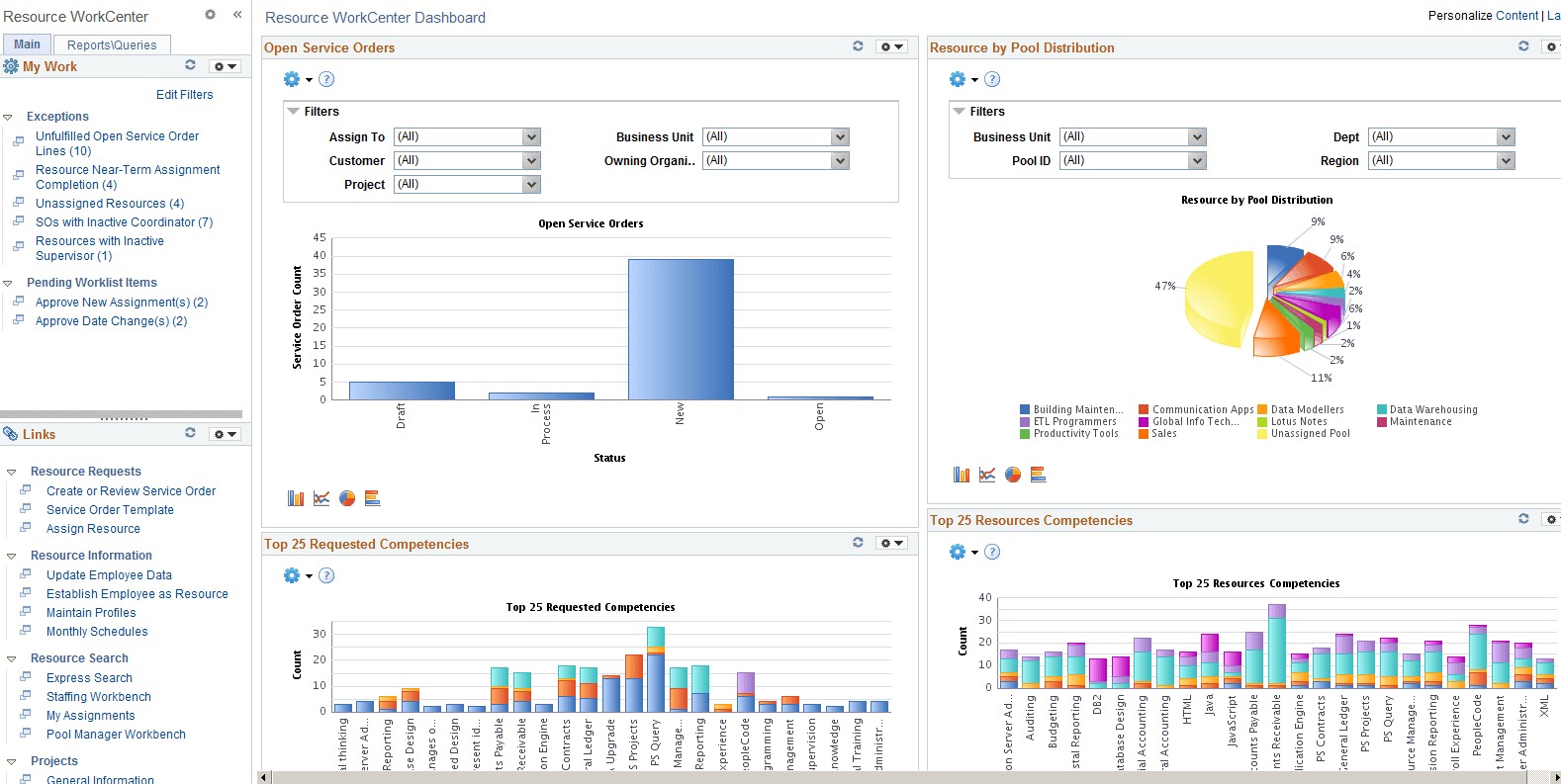
The right side of the page has been configured as Welcome page and can be configured to display specific pagelets and Dashboards that provide specific information as soon as a user accesses the WorkCenter.
To review more information about the links that appear in each pagelet, see:
Related Topics
- Enterprise Components: Configure Pagelets - WorkCenter/Dashboard Page
- Enterprise Components: Configure Pagelets - My Work Page
- Enterprise Components: Configure Pagelets - Links Page
- Enterprise Components: Configure Pagelets - Queries Page
- Enterprise Components: Configure Pagelets - Reports/Processes Page