Activity Monitor Pagelet
Access the Activity Monitor pagelet.
This example illustrates the fields and controls on the Activity Monitor pagelet.
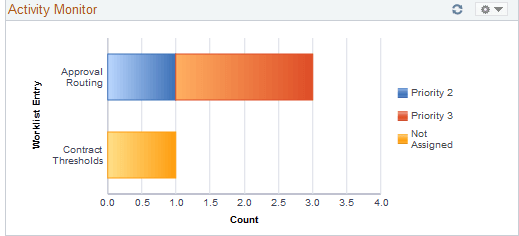
This pagelet displays the types of workflow notifications sent, along with the number of notifications. The assigned priority is indicated by the color of the bar graph.
To assign a priority to the worklist entry, click the type of notification you wish to update. From there, you will be transferred to the Worklist page which displays the individual entries where you can update the priority of an entry.