Group Contract Summary Pagelet
The Group Contract Summary pagelet displays a Pivot Grid in chart only mode.
Use the Group Contract Summary page to display the total PO spend amount for each Group Contract.
This example illustrates the fields and controls on the Group Contract Summary page (1 of 4).
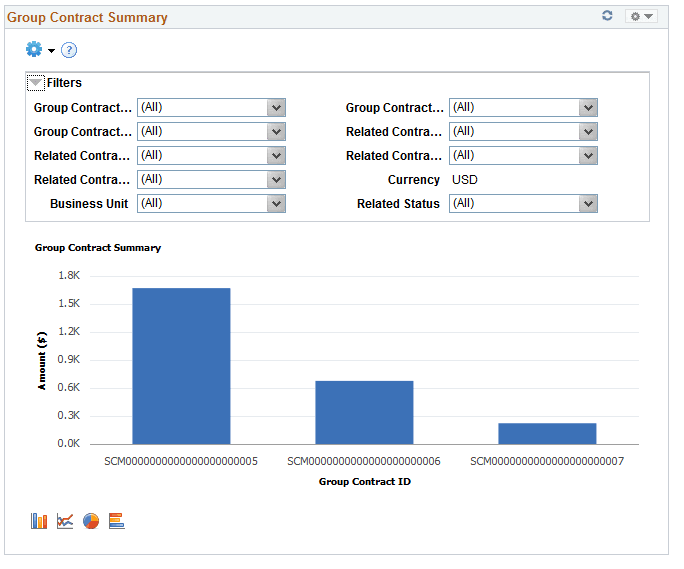
Users can select from a range of data using field prompts, filter data by selecting specific facets values.
Users can click on a bar on the graph and click on the Detailed View to access the Pivot Grid Drilldown page. The page will help the user to see the details that represent the graph.
This example illustrates the fields and controls on the Group Contract Summary page (2 of 4).
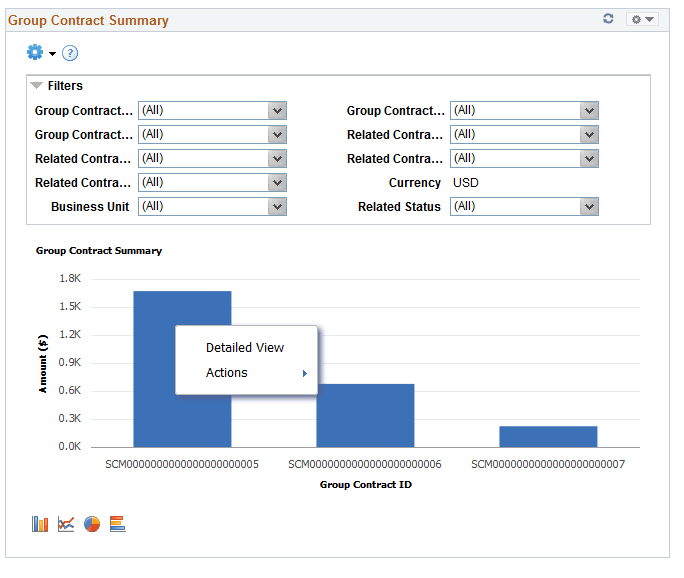
From the Detailed View, a user can use the Actions drop down option to view the related actions for the Group Contracts.
This example illustrates the fields and controls on the Group Contract Summary page (3 of 4). You can find definitions for the fields and controls later on this page.
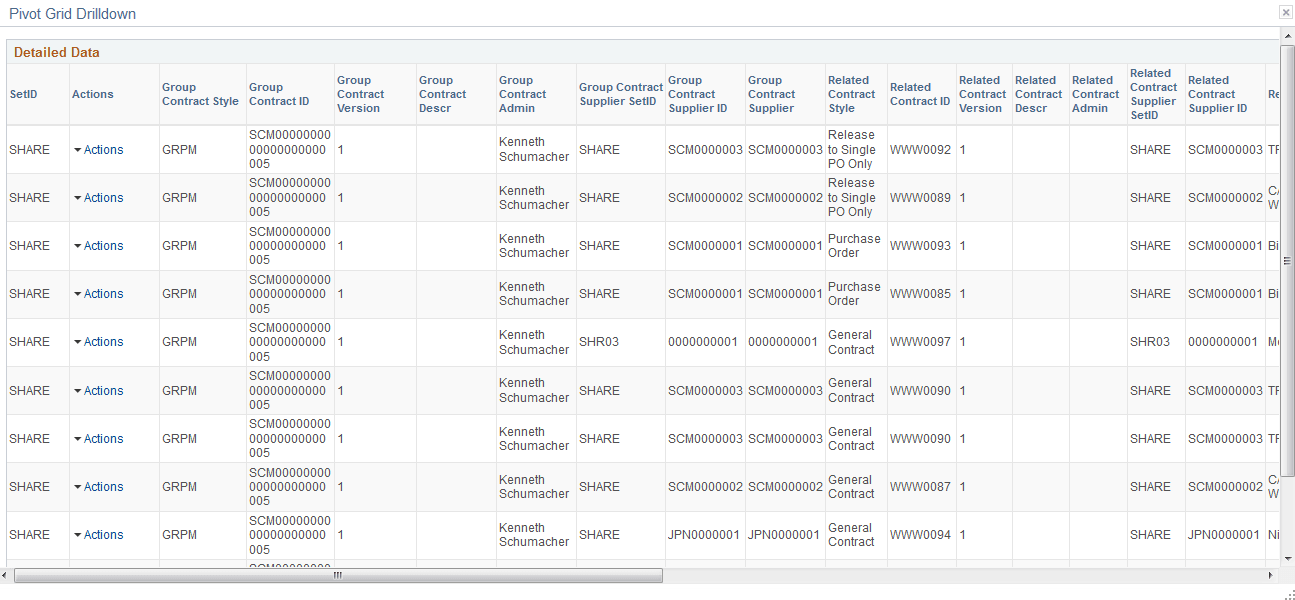
This example illustrates the fields and controls on the Group Contract Summary page (4 of 4). You can find definitions for the fields and controls later on this page.
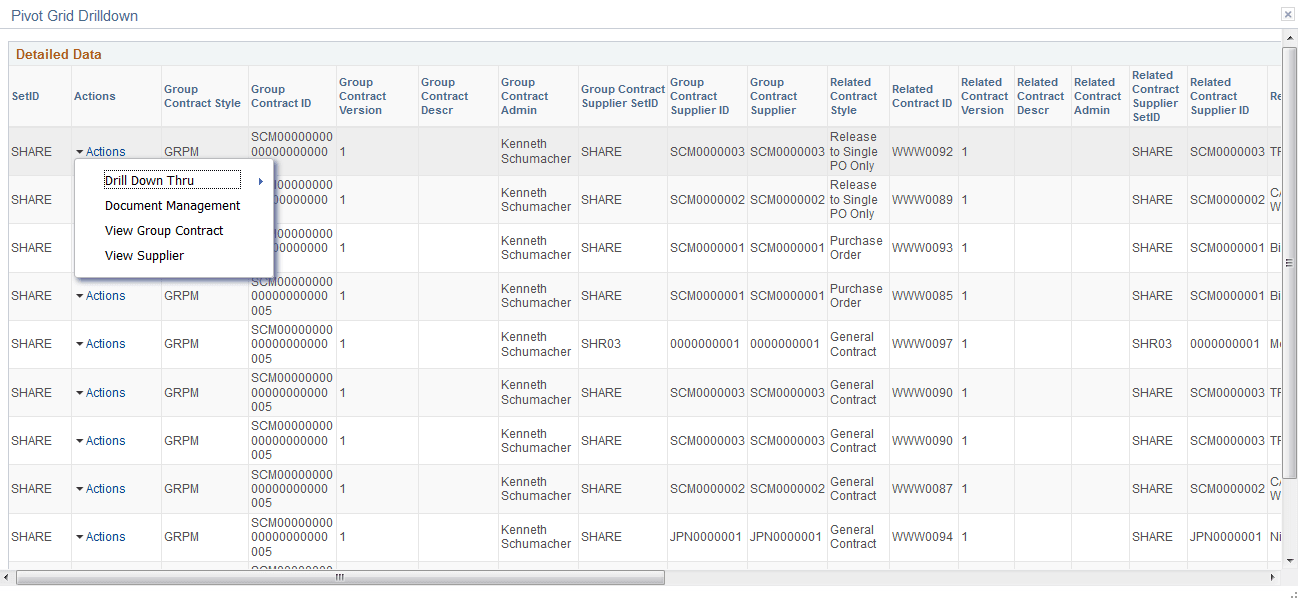
Users can click on the Drill down thru and Group Contract Detail , and the Group Contract Detail pagelet will appear in a new window. Related action will take the user to the Group Contract component to view additional information about the group contract.
The Action drop down also displays the following options:
-
Document Management. — Click to access the Document Management page for the selected contract.
-
View Group Contract — Displays the Group Contracts
-
View Supplier.- Click to access the Supplier Inquiry page for the selected procurement contract.
For Group Contract Detail seeGroup Contract Detail Page