Sourcing Assistant page
Use the Sourcing Assistant to inquire on Bidding Opportunity, submitted bids, and Awarded events.
Navigation:
On the secure Supplier Home Page, click the PeopleSoft PICASO button.
This example illustrates the fields and controls on the Sourcing Assistant page.
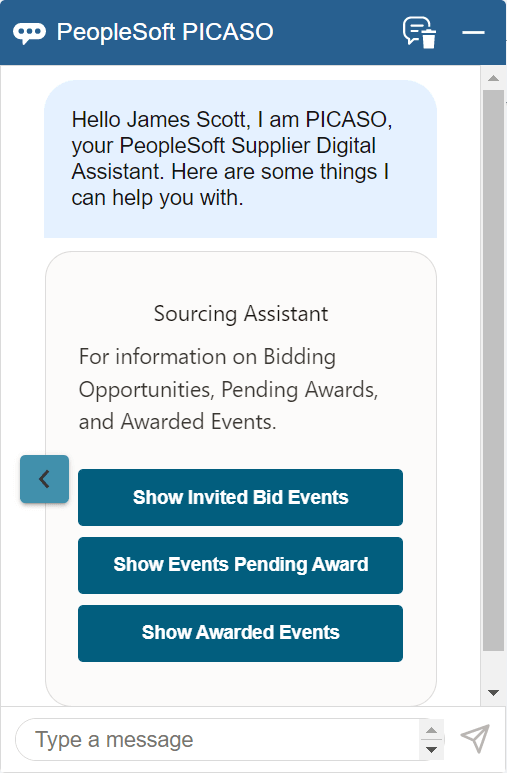
You can begin the interaction with the skill by choosing an option (Show Invited Bid Events, Show Events Pending Award, and Show Awarded Events) displayed, or by entering your query.
For example, select Show Invited Bid Events to view the number of invited bidding events.
Note:
If you are a manufacturer’s representative and transacting on behalf of other organizations, the list of all supplier organizations that you manage will be listed when the results count exceeds 20 rows. You must enter the digit that represents a supplier organization to view the results. Whereas, if you associate with only a single supplier, you can view the results directly.
This example illustrates the fields and controls on the Sourcing Assistant Page.
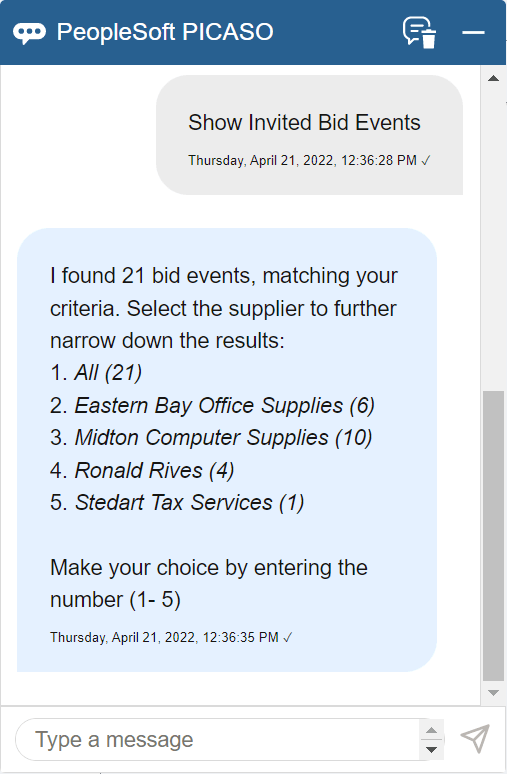
You can see the available suppliers and the total number of Invited Bid Events. Narrow your search by specifying the number corresponding to the required supplier.
For example, if you enter 2 in the message field, you can see all the bid events from Eastern Bay Office Supplies.
This example illustrates the fields and controls on the Sourcing Assistant - Results page.
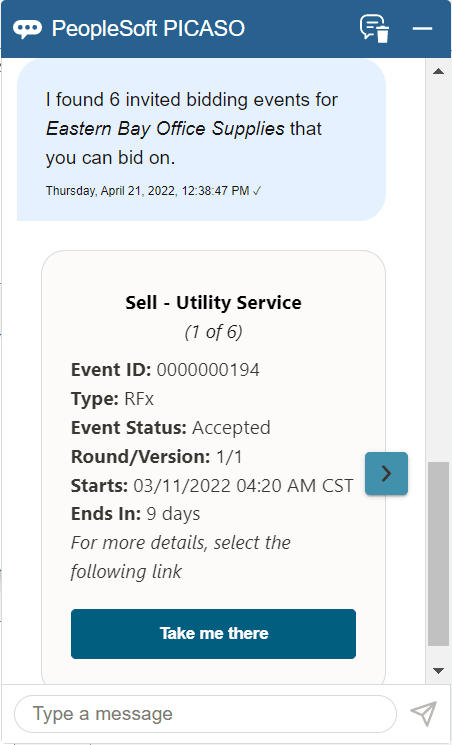
| Field or Control | Description |
|---|---|
 |
Click this icon to scroll through the results. |
|
Take me there |
Select to navigate to the related page, where you can see additional details of the Event Details page and perform the required actions. |
Note:
While responding to the skill, if you enter an incorrect value, the skill displays a message indicating that it does not understand your response. To proceed, you can rephrase your query or enter help in the message box.
Similarly, Show Events Pending Award displays all the events which are complete but not yet awarded and Show Awarded Events displays all the events which are awarded.
You can also search things such as Show me the status of my bid submissions for computer equipment and Do I have any Bid Events which I’ve been awarded last month?