Total PO Spend By PO Date Pagelet
Access the Total PO Spend By PO Date pagelet.
This example illustrates the fields and controls on the Total PO Spend By PO Date pagelet.
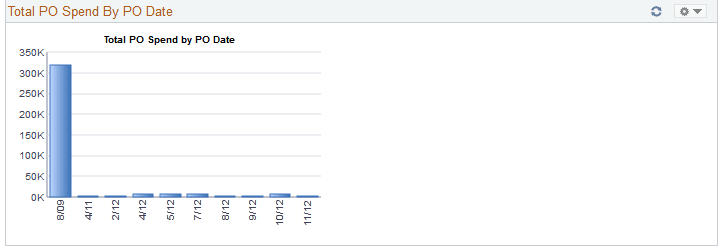
This pagelet displays the total purchase order spend in a graphical format for a specific buyer. Purchase order lines are bucketed into the calendar periods according to their purchase order date and total purchase order amount. The number of periods displayed is based on the period options selected in the Buyer definition for the dashboard. To view the numeric value spend and the total purchase orders for the period, use the cursor to hover over the selected bar graph.
Click a specific bar graph to access the Spend by PO Date page. Use this page to view and analyze all the details for the spend by purchase order date.