Supplier Contract Workbench Page
Use the Supplier Contract Workbench page (CS_CONTRACT_WB) to search for and manage transactions based on the source transaction.
Navigation:
This example illustrates the fields and controls on the Supplier Contract Workbench page.
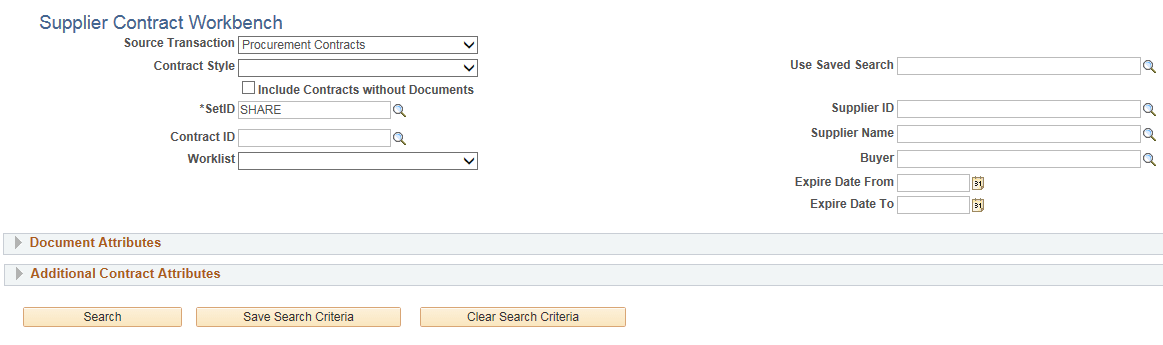
All search values entered in the header, Document Attributes, and Additional <source transaction> Attributes section are used by the system to limit your search results. You must start your search by selecting an option in the Source Transaction field. After selecting a source transaction, the fields in the header area, Document Attributes section and Additional <source transaction> Attributes section change based on the source transaction selected. If you enter more search values into these search sections, then your search results will be more precise.
After selecting source transaction, the system limits the contract style, and only shows the related contract styles in the drop down list. If you select the contract style first, then the system will limit the source transaction’s drop down list.
Document Attributes
This section is used to refine your search results based on attributes used for an authored document. These fields change based on the source type selected.
Additional <Source Transaction> Attributes
This section is used to refine your search results based on the source transaction. It provides search fields that are specific to the source transaction. This section is not shown when you select Adhoc Documents in the Source Transaction field.
The contract category, item, and other unused criteria in “Additional Contract Attributes” remain hidden when you select a contract style that is based on group or special purpose contracts.