18.2.5 Granting Access to Menu and Components
To grant permission to permission list, navigate to the PeopleTools Permission Lists component:
-
Select PeopleTools, Security, Permission and Roles, Permission Lists.
-
Search for and select the Permission List EPPV1000.
-
Select the Pages tab Fluid Requisition requires the use of Menu PV_MOB_MENU.
-
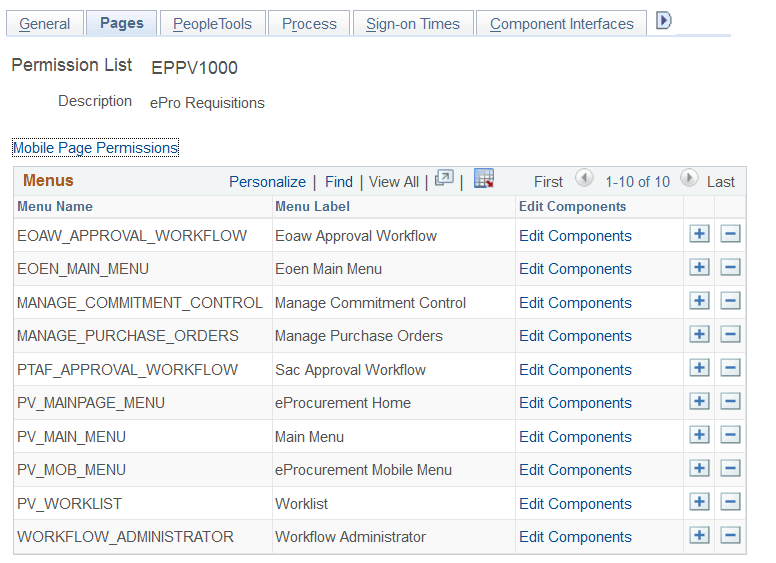
Select Edit Components hyperlink for Menu PV_MOB_MENU on Pages tab as shown in the following example:
Figure 18-7 Permission Lists page: Pages tab for PV_MOB_MENU Menu
-
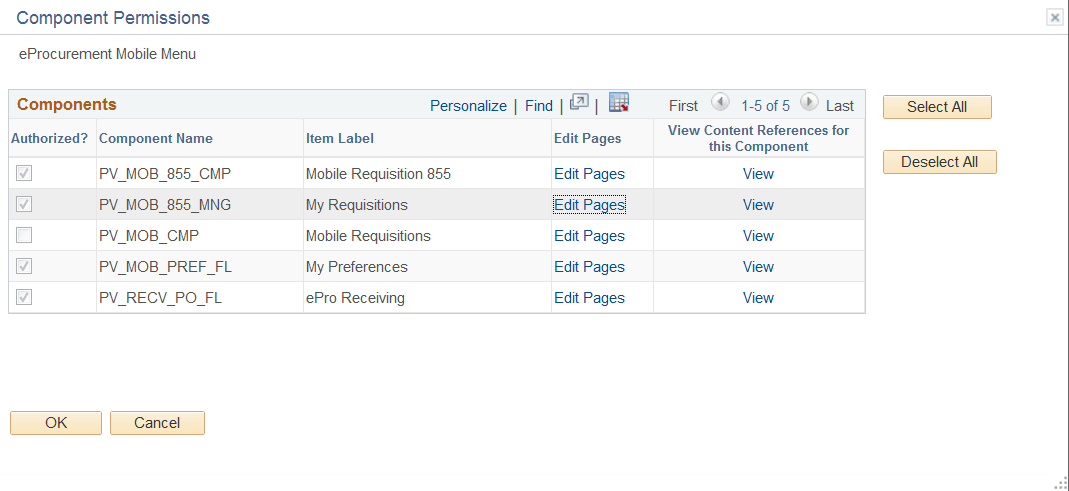
Select Edit Pages hyperlink for Component Name PV_MOB_855_CMP as shown in the following example:
Figure 18-8 Component Permissions: Component Name PV_MOB_855_CMP
-
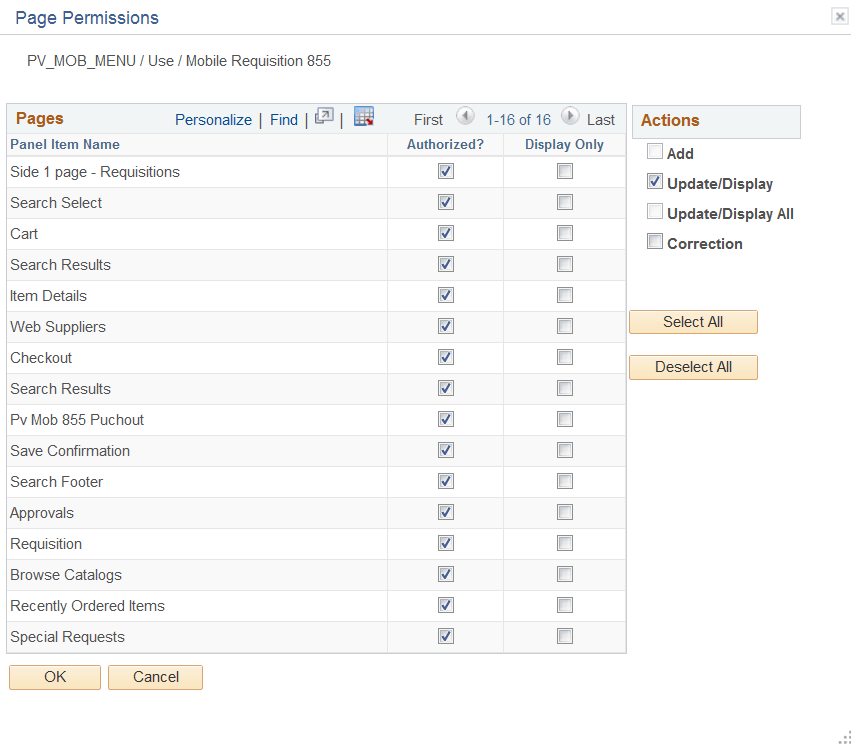
Select All Actions as Authorized for the Pages in the List as shown in the following example:
Figure 18-9 Page Permission: Authorized
-
Click OK.
-
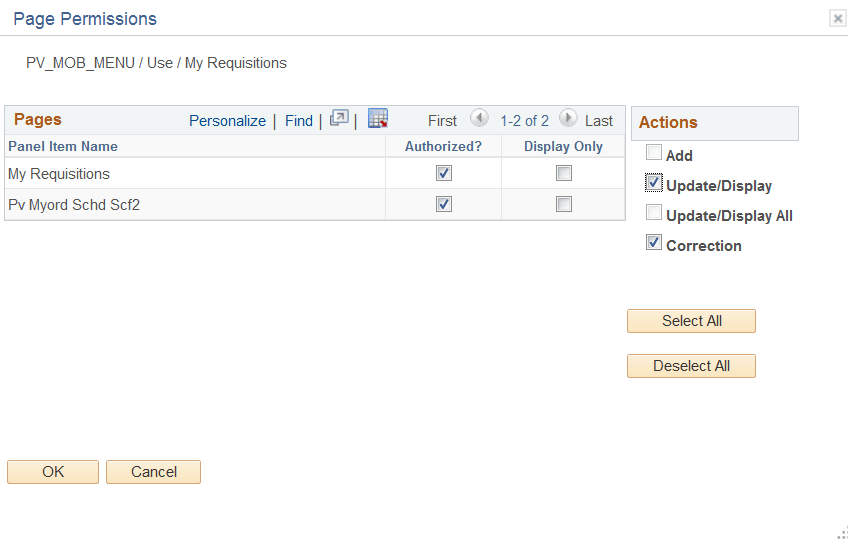
Repeat steps 5 through 7 to select Edit Pages hyperlink for Component Name PV_MOB_855_MNG and Select All Actions.
Figure 18-10 Page Permissions: Component Name PV_MOB_855_MNG
-
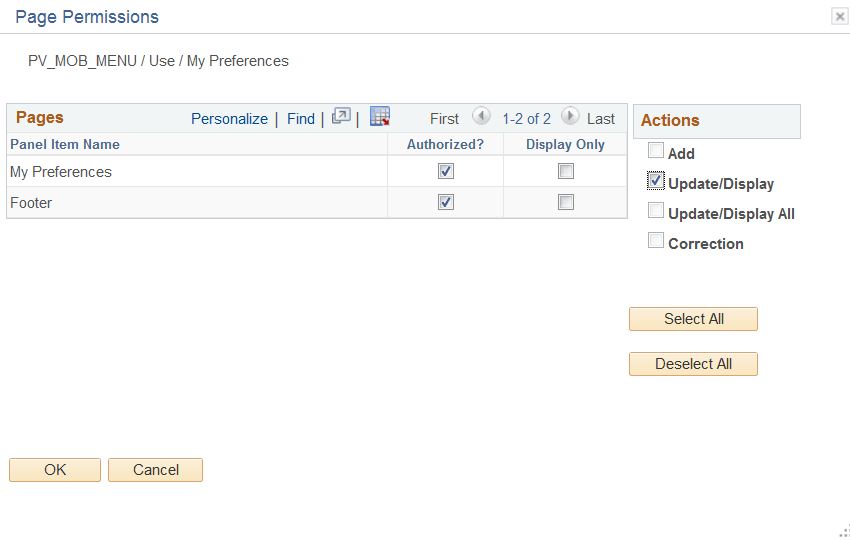
Repeat steps 5 through 7 to select Edit Pages hyperlink for Component Name PV_MOB_PREF_FL and Select All Actions.
Figure 18-11 Page Permissions: Component Name PV_MOB_PREF_FL
-
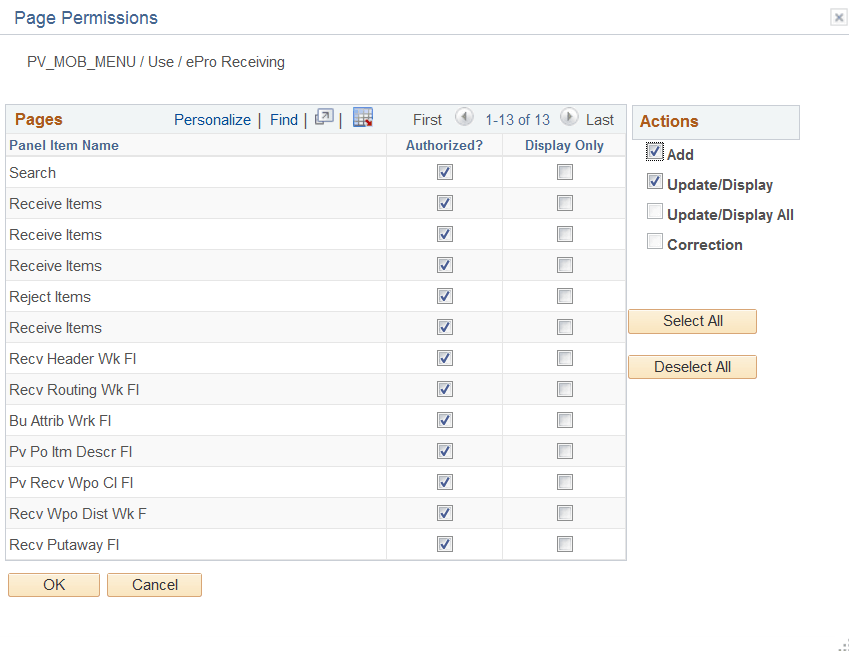
Repeat steps 5 through 7 to select Edit Pages hyperlink for Component Name PV_RECV_PO_FL and Select All Actions.
Figure 18-12 Page Permissions: Component Name PV_RECV_PO_FL
-
Click OK.
-
Click Save, to save Permission List page.