18.2.3 Granting Access to Web Libraries (IScript Functions)
Fluid Requisition also requires the use of various IScript functions which are present inside Web Libraries. IScript functions are PeopleSoft records that start with prefix IScript_.
To grant permission to Web Libraries:
-
Select PeopleTools, Security, Permissions and Roles, Permission Lists.
-
Search for and select the Permission List EPPV1000.
-
On the Permission Lists page, select the Web Libraries tab.
-
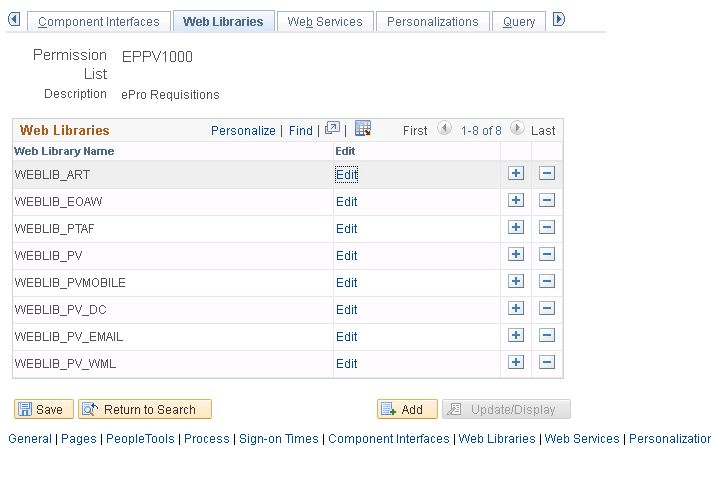
Select the Edit link for the WEBLIB_PV record as shown in the following example:
Figure 18-3 Permission Lists page: Web Libraries tab for WEBLIB_PV
Note:
Once one of these records is added to the Web Libraries tab of the Permission List component, all functions that contain the prefix in any field is automatically displayed in the Web Library permissions secondary page.
-
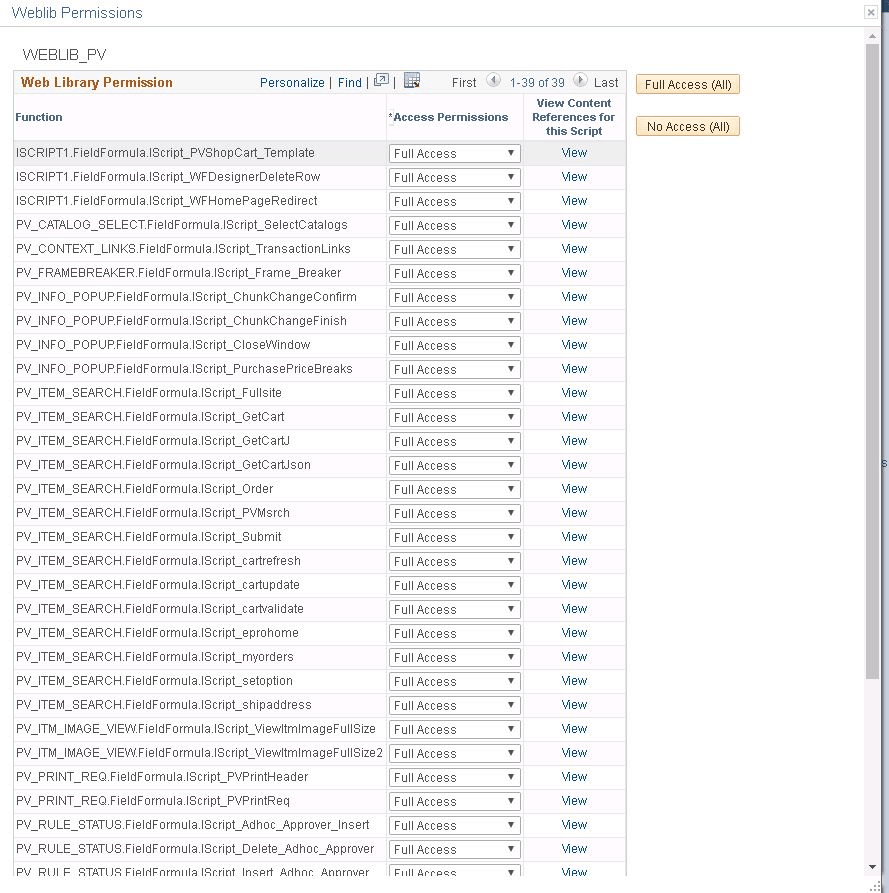
Grant full access to all the IScript functions as shown in the following example:
Figure 18-4 Weblib Permissions page for WEBLIB_PV
-
Repeat steps 1 through 4 for Web Library WEBLIB_PVMOBILE.
Grant Full Access to the following:
-
PV_ISCRIPT_LIB.FieldFormula.IScript_AjaxText
-
PV_ISCRIPT_LIB.FieldFormula.IScript_ChangeRequestInfo
-
-
Repeat steps 1-4 for Web Library WEBLIB_PV_DC.
Grant Full Access to the following:
-
PV_ISCRIPT_LIB.FieldFormula.IScript_DCCatcher
-
PV_ISCRIPT_LIB.FieldFormula.IScript_DirectConnect
-