8.3 Setting Up the Forms URL Maintenance Area in PeopleSoft
In this section you will set up the Forms URL Maintenance Area.
To set up the Forms URL Maintenance Area:
-
Select PeopleTools, Utilities, Administration, Maintain URLs.
-
On the URL search page, search for and select GM_FORMS_LOCATION.
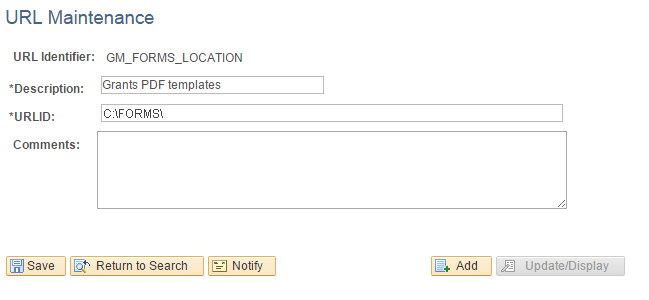
The URL Maintenance page appears, as shown in the following example:
Figure 8-1 URL Maintenance page
-
In the URL field, enter the location where you placed the forms.
This location can be a file system location such as C:\FORMS\. In this case, users must have access to this location when viewing the printed forms. This location can also be a web address such as http://www.university.edu/Administration/Grants/Forms/.