10.4.1 Verifying the Installation Table for PeopleSoft HCM
In this step, you verify the selection of the Pay/Bill Management and Project Costing installation options in the Installation table.
-
In PeopleSoft HCM, select Set Up HCM, Install, Installation Table.
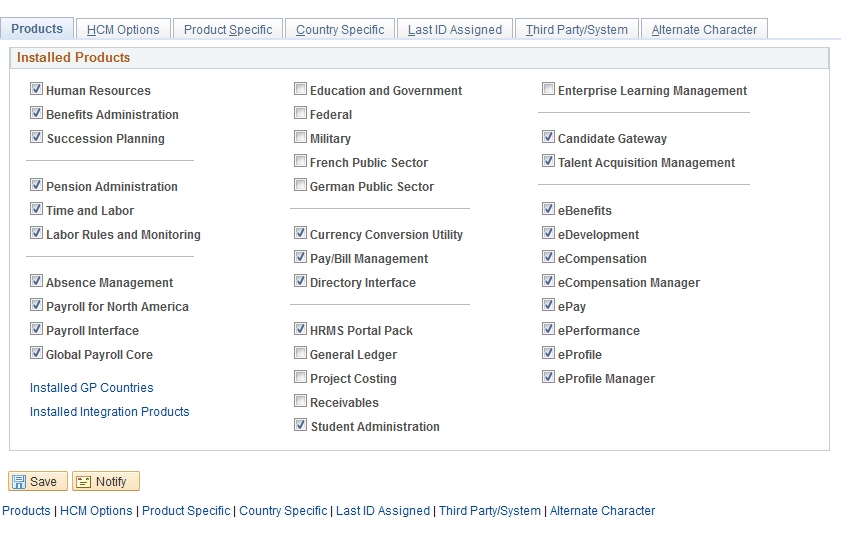
The PeopleSoft HCM Installation Table - Products page appears, as shown in the following example:
Figure 10-4 PeopleSoft HCM Installation Table - Products: Installed Products page
-
On the Products page, in the Installed Products group box, verify that Pay/Bill Management and Project Costing are selected.
If they are not selected then select them.
-
Click Save.