Find Drop Zone-Enabled Pages
To find which fluid pages have been enabled for drop zones:
-
Navigate to:
-
Enter the Component (listed in column 2 of the “Components Where Drop Zones are Enabled” topic that follows) into the Component field.
-
Click Search.
Lists drop zone-enabled pages by component.
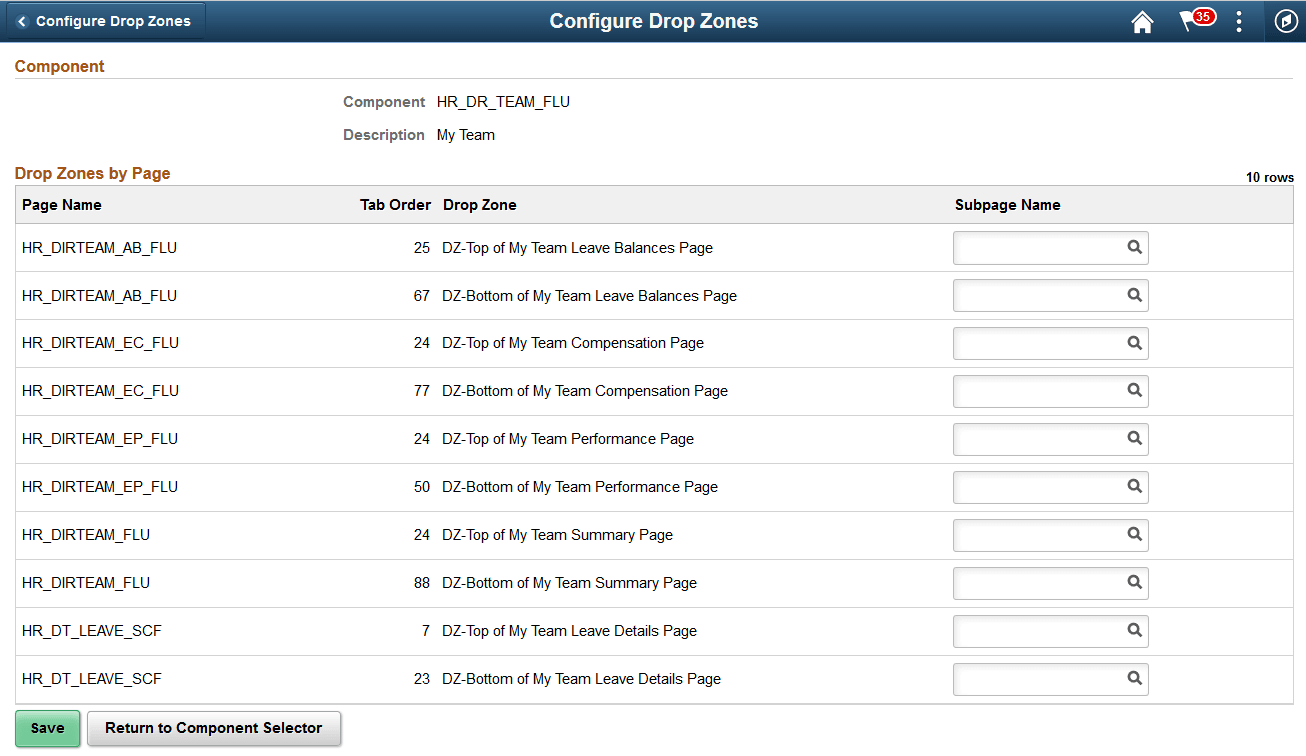
The Page Name column provides the Page ID for all pages, within the component, where drop zones are available.
The Drop Zone column displays the message catalog text associated to the group box and indicates where the drop zone resides on the page.