Locality Pay Area Table Page
Use the Locality Pay Area Table page (GVT_LOCAREA_TABLE) to define the regions where federal workers receive additional pay above their base pay.
Navigation:
This example illustrates the fields and controls on the Locality Pay Area Table page. You can find definitions for the fields and controls later on this page.
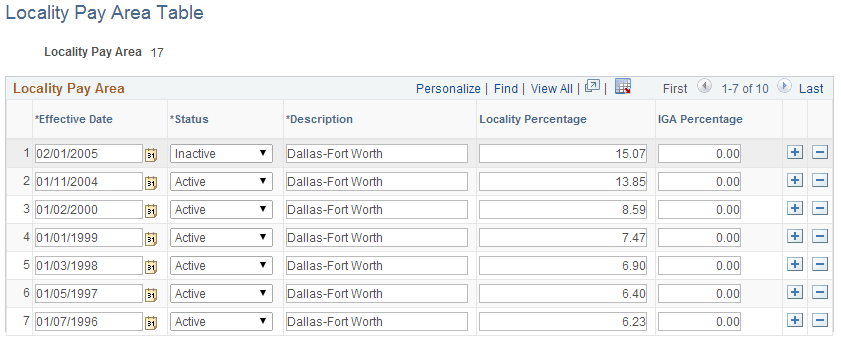
Federal employees in certain regions receive additional pay above their base pay. PeopleSoft delivers this data, but you might need to change it based on Office of Personnel Management updates.
| Field or Control | Description |
|---|---|
|
Effective Date |
The first time you set up this table, select an effective date that is early enough to accommodate your organization's oldest historical information. |
|
Status |
Select a status. Note: Add data rows and use the scroll bar, the Effective Date field, and the Status field to maintain history data for information that changes over time. For example, to retire a Locality Pay Area, insert an effective-dated row with a status of Inactive. |
|
Locality Percentage |
Enter the percentage of base pay employees in this region receive above their base pay, which is set by their pay plan, grade, and step. The amount appears on the person's Compensation page (JOB_DATA3) in Administer Workforce. |