Location USF - Locations Address Page
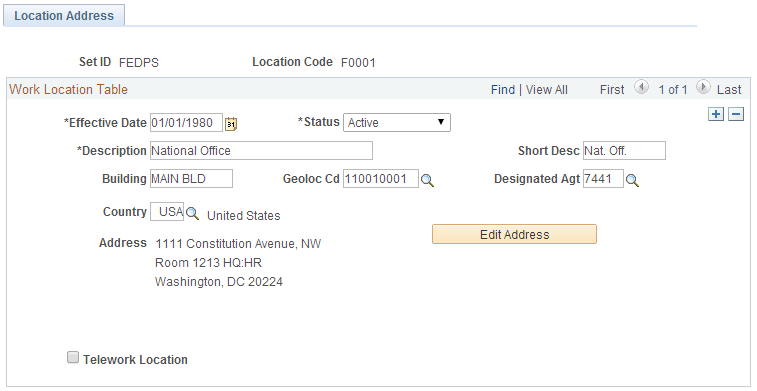
Use the Location USF - Location Address page (GVT_LOC_TABLE1) to add work locations.
Navigation:
This example illustrates the fields and controls on the Location USF - Location Address page. You can find definitions for the fields and controls later on this page.
| Field or Control | Description |
|---|---|
|
Building |
Enter the building where the location is, if applicable. For example, your national office might be located in the main building of your complex. |
|
Geoloc Cd (geographic location code) |
Select the geographical location code. |
|
Designated Agt (designated agent) |
Select the designated agent code. |
|
Country |
Select a country from the list of values and move out of the field. The system displays the appropriate address fields for the country that you selected, using the standard address format that you have set up in the Country Table. |
|
Telework Location |
Select if this location allows workers to work remotely. |