PeopleSoft (My Home) Landing Page
Use the PeopleSoft (My Home) Landing Page (EO_PSFT_HOME) to access a variety of transactions from one page to see and perform daily and ongoing tasks.
Note:
Users must be assigned the PeopleSoft Landing Page role to access the PeopleSoft My Home Landing Page. Tiles within the landing page vary based on user role and security.
Navigation:
Select the My Home option from the homepage selector drop-down in the top left of the fluid page banner.
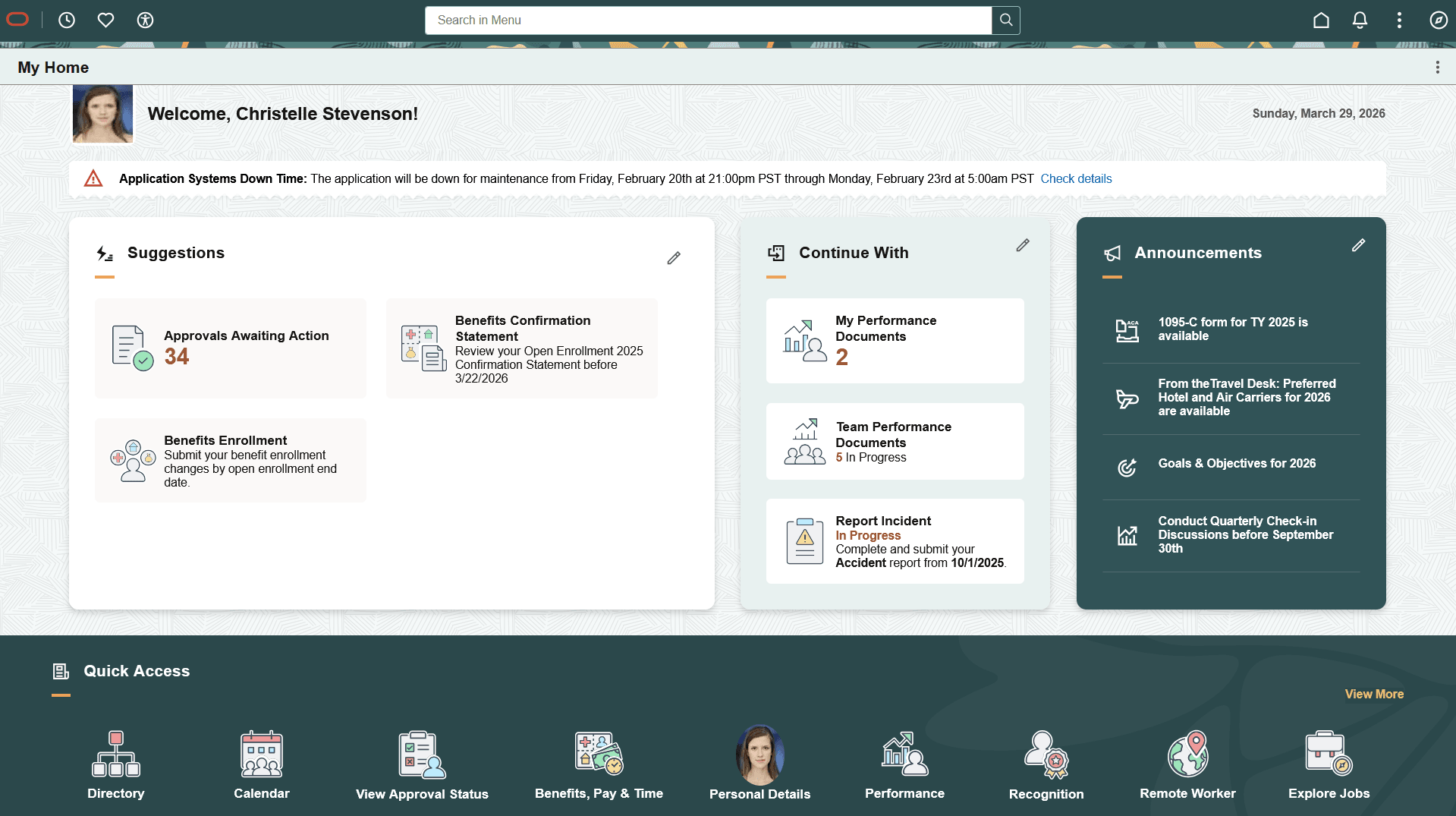
This example illustrates an example of the HCM - My Home landing page in fluid (1 of 3).
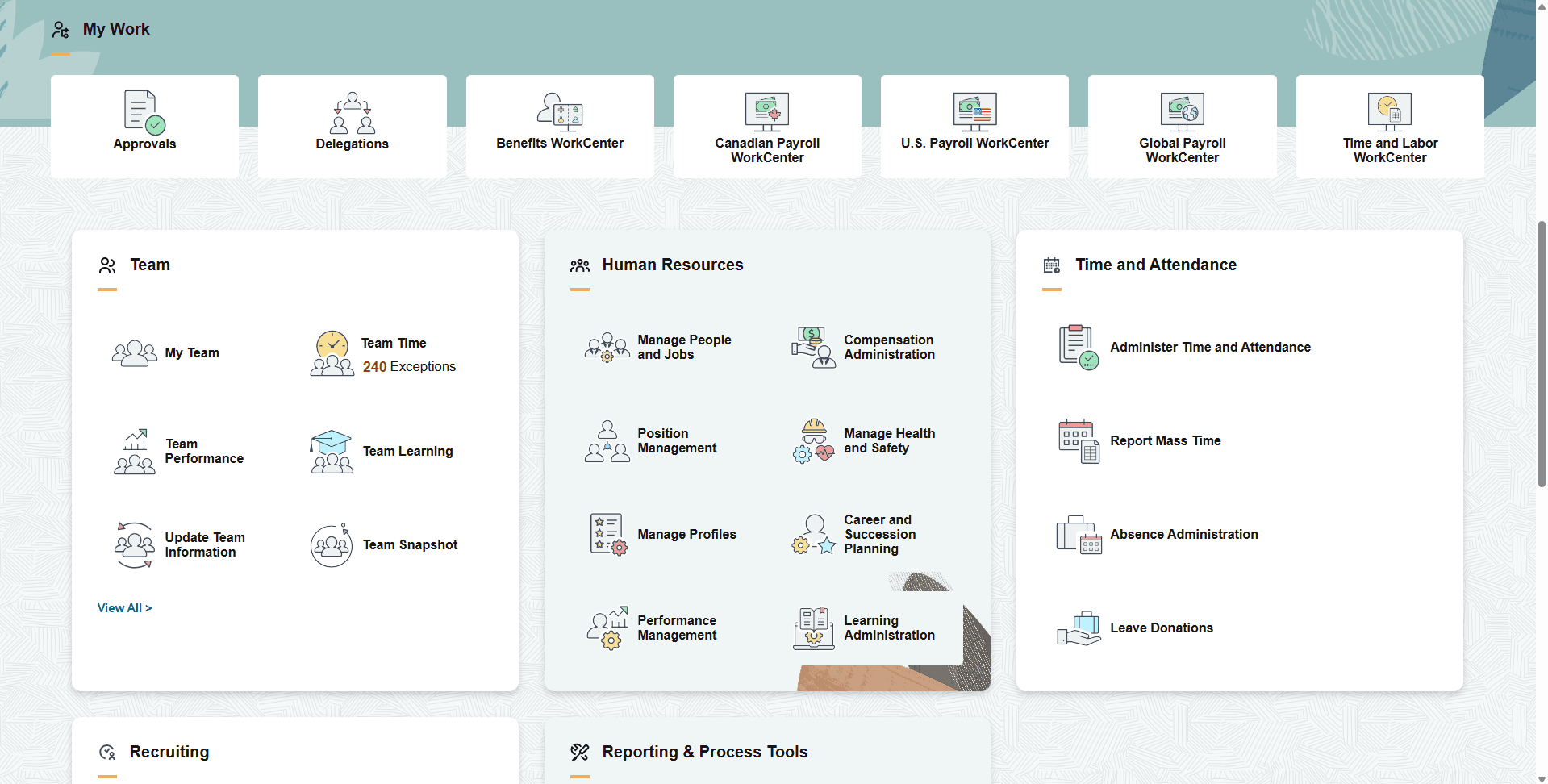
This example illustrates an example of the HCM - My Home landing page in fluid (2 of 3).
This example illustrates an example of the HCM - My Home landing page in fluid (3 of 3).
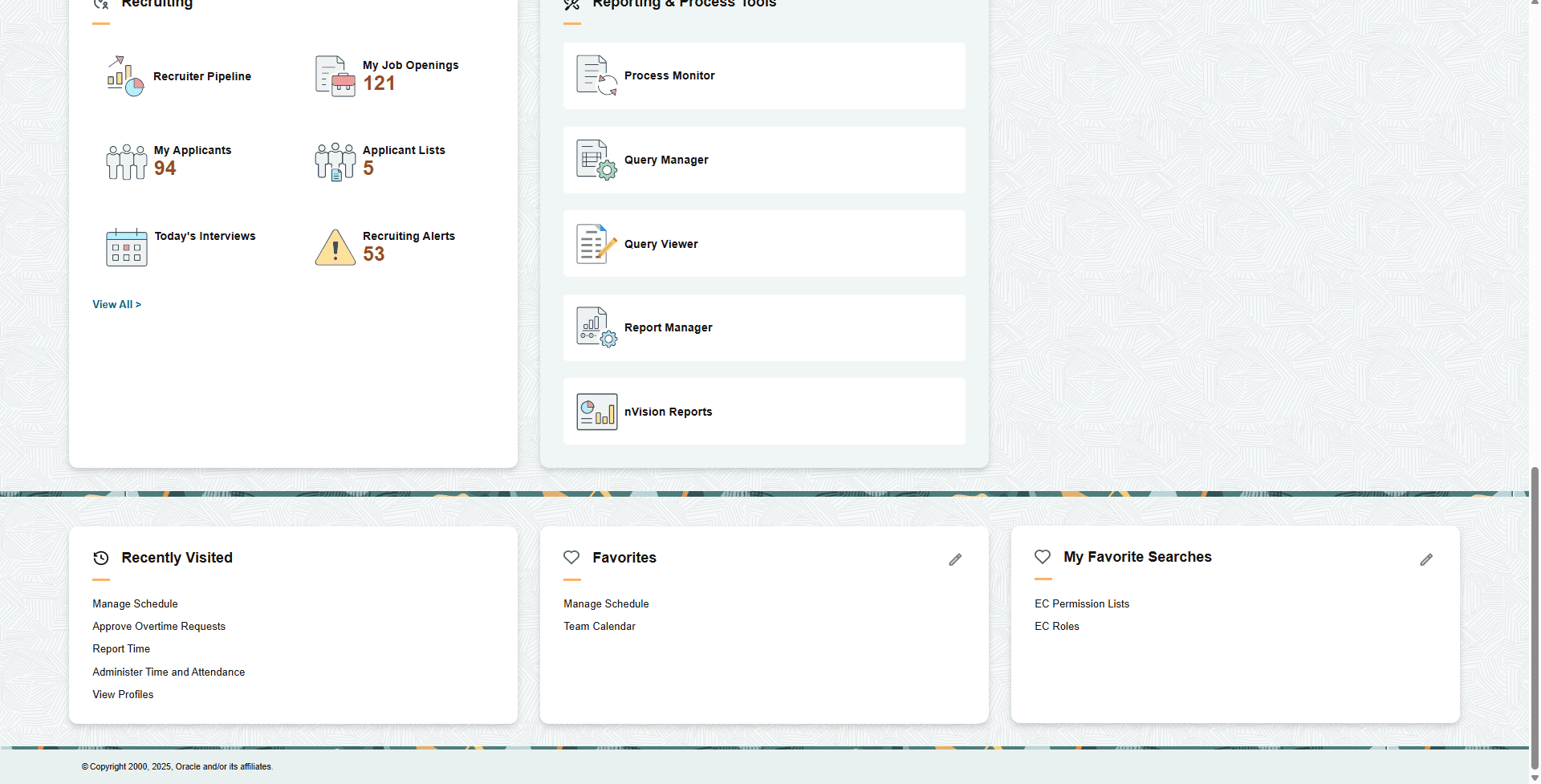
The PeopleSoft (My Home) Landing Page is made up of various functional groups called sections. Sections contain functional or administrative groupings of tiles that use security access to manage what tiles appear for a user within a section. This allows users, even those with multiple roles (e.g.-employee, manager, or administrator), the ability to access their daily work transactions from one page.
Note:
Sections themselves do not have security; they inherit security from the tiles or CREFs displayed within the section. When a user does not have access to any tiles within a section, the section does not appear for the user.
Tiles within a section can be static (content referenced-based tiles that are fixed and present on sections based on the permissions of the user) or can be dynamic (created as result of an event or action and go away when the user takes an action or dismisses the tile). For example, the Suggestions, Continue With, and Announcements sections contain dynamic tiles which prompt a user to do a task.
For additional information on Landing Page functionality, see PeopleTools: Portal Technology, "Developing Advanced Sectionalized Homepages and Dashboard".