Understanding Business Units
Business units are logical units that you create to track and report specific business information. Business units have no predetermined restrictions or requirements; they are a flexible structuring device that enable you to implement PeopleSoft HCM based on how your business is organized.
Business units share processing rules and you can create them at any level of the organization that makes sense and that reflect the needs of your internal human resources departments. If you use the same processing rules across the organization, it may make sense to have a single business unit; if you use different rules in different companies, countries, or functional areas, you may choose to create multiple business units.
Because PeopleSoft HCM doesn't offer any predetermined definition for a business unit (as it does for a department and a company), you can implement this organizational level in your PeopleSoft HCM applications to reflect your own enterprise's structure. You can share business units across any combination of PeopleSoft HCM, Financials, Manufacturing, and Distribution applications or define them in just one PeopleSoft application.
Note:
For PeopleSoft HCM, you must establish at least one business unit.
You have complete control over how you define business units in your PeopleSoft HCM system, as well as how you use them to facilitate the handling of data in your data organization. For example, you could set up a business unit for each legal entity in your organization, all to be processed by a central human resources department that interfaces with and manages each business unit's information, workers, and processes. Alternatively, you could set up one business unit for each company, location, or branch office in your enterprise, enabling each unit to manage its own human resources information independently, while sharing data with a central, parent business unit.
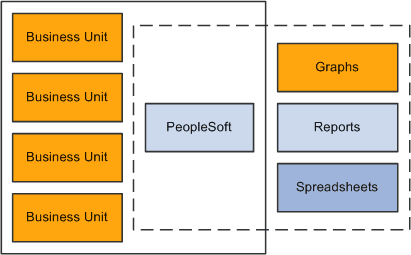
While each business unit maintains its own human resources information, your organization can maintain a single, centralized database, reducing the effort of maintaining redundant information for each business unit. More importantly, as this diagram illustrates, you can produce reports across business units, enabling you to see the big picture and to compare the finest details.
Related Topics