Preparing to Run the Entitlement or Take Process
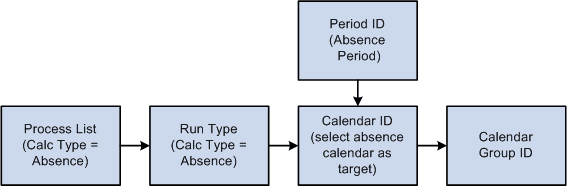
Following are the steps to prepare for running the entitlement and take processes:
-
Create one or more absence process lists to define the absence take elements or frequency-based entitlement elements that are to be resolved during processing.
-
Associate the process list with a run type.
-
Create a calendar for the absence processing period.
-
Attach the calendar to a calendar group ID.
This diagram illustrates the steps to prepare for running the entitlement and take processes.
Typically, you create process lists and attach them to run types when you implement Absence Management. Then perform the remaining tasks on a regular basis.
After defining the Calendar Run ID, you're ready to start the process. Complete the Run Control page and use PeopleSoft Process Scheduler to start the process.