Approving Life Event Documents Using Fluid Approvals
This topic describes how to approve Life Event documents like, certificates of marriage, adoption, divorce etc using Fluid Approvals.
See also Application Fundamentals: Using PeopleSoft Fluid User Interface Self-Service Approval Transactions
Pages Used to Approve Life Event Documents Using Fluid Approvals
| Page Name | Definition Name | Usage |
|---|---|---|
|
Pending Approvals — Life Event Page |
EOAWMA_TXNHDTL_FL |
Approve a life event document. |
Pending Approvals — Life Event Page
Use the Pending Approvals — Life Event page (EOAWMA_TXNHDTL_FL) to approve a life event document.
Navigation:
On the Workforce Administrator home page, click the Approvals tile to access the Pending Approvals page. From the left panel, click Life Event.
This example illustrates the fields and controls on the Pending Approvals — Life Event page.
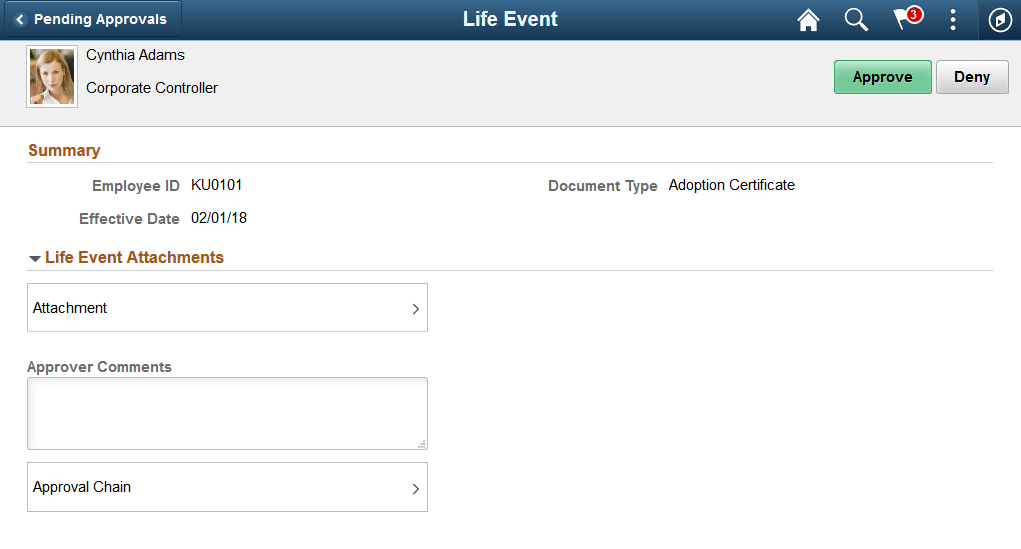
The approval options on this page are common to all fluid approval transactions, as described in the documentation for theApplication Fundamentals: Using PeopleSoft Fluid User Interface Self-Service Approval Transactions.
| Field or Control | Description |
|---|---|
|
Approve and Deny buttons |
Use these buttons to take action on the requested approval. |
|
Attachments |
Click this item to open the Attachment modal window, where the details of the document uploaded is displayed. You can also access the document uploaded from this Attachment modal window. |
|
Approver Comments |
Enter any comments related to the approval action you take. |
|
Approver Chain |
Click this item to open the Approval Chain page, where you can review information about all the approvers for the transaction. |