Route for Approval Event
When the approval process is initiated, after submitting the compensation information for the cycle, the system evaluates the next step in the approval process. To route it to the next approver in line, you need to instantiate the Route for Approval event (select or ).
Among the tasks that are completed internally with this event, some notifications need to be sent to the next approver in line to indicate that a request is waiting for approval.
PeopleSoft eCompensation Manager Desktop delivers a process ID (ApproveCompensationProposals) with setup parameters, definition IDs and email templates to support various events that trigger workflow notifications, including the Route for Approval event.
Here is the Configure Transactions page that you would use to route approvals to requesters, approvers, and reviewers.
This example displays the Approve Compensation Proposals process on the Configure Transactions page (1 of 3).
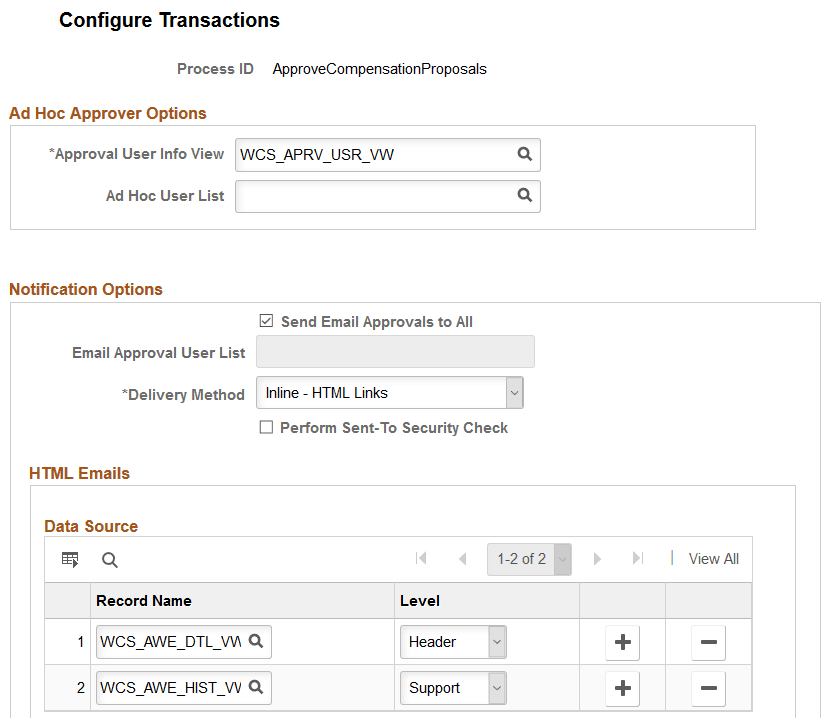
This example displays the Approve Compensation Proposals process on the Configure Transactions page (2 of 3).
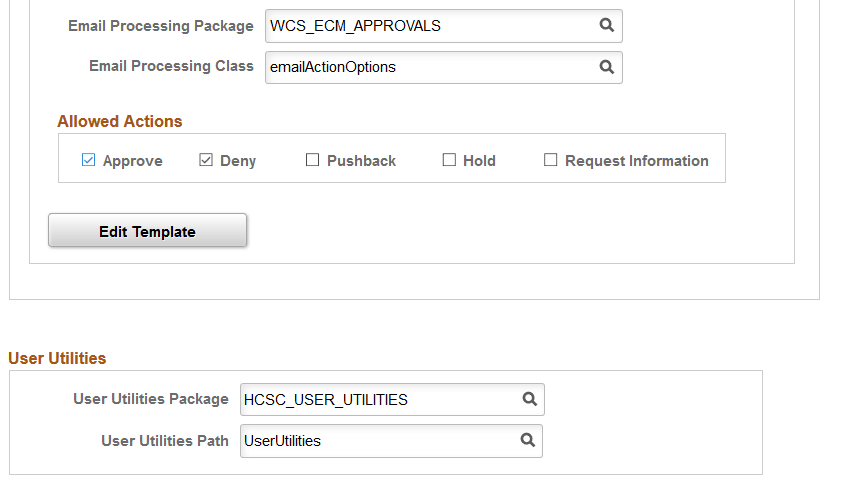
This example displays the Approve Compensation Proposals process on the Configure Transactions page (3 of 3).
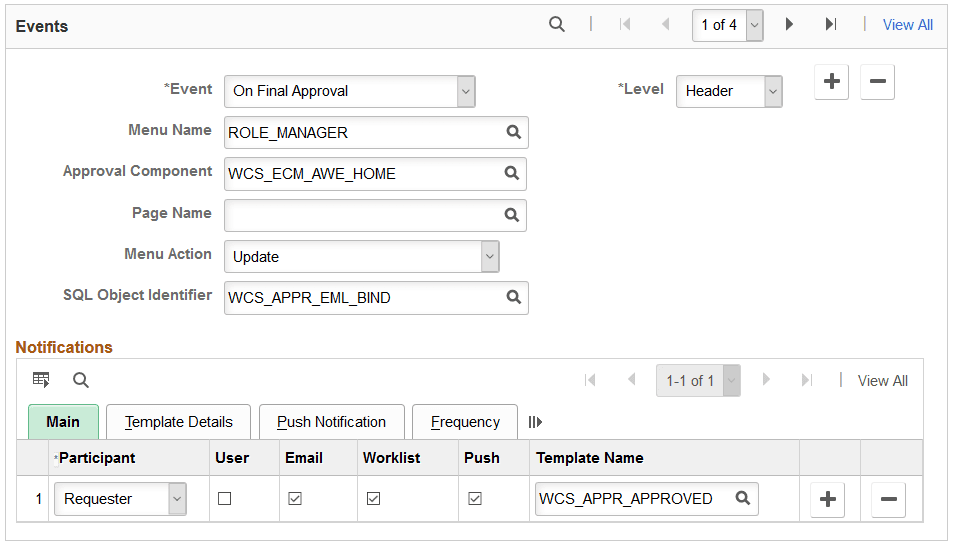
PeopleSoft eCompensation Manager Desktop also delivers a transaction configuration (process ID: AdhocSalaryChange) to process ad hoc salary change approvals.
See Application Fundamentals: Configuring Approval Transactions, Approving Compensation Allocation Using Fluid Approvals and Approving Ad Hoc Salary Changes Using Fluid Approvals.