Total Rewards Pagelet
The Total Rewards pagelets displays the composition of an employee’s compensation and rewards package.
This example illustrates the fields and controls on the Total Rewards pagelets. You can find definitions for the fields and controls later on this page.
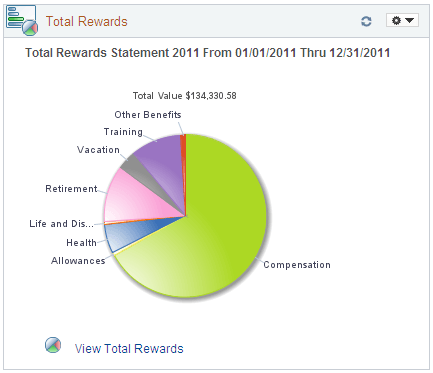
Use this pagelet to view a summary chart depicting a graphical representation of compensation and benefit summary information. The pagelet displays the most recent total rewards information for the employee.
The top of the pagelet displays the employee’s total rewards value amount. Pause over various pie slices in the graphic to see the amount associated with each rewards component and its percentage of the reward. Click each individual pie slice to view more details about that reward. For example, a health benefit may represent 10 percent of your total reward, and by clicking the Health pie slice, you can see that the benefit is comprised of health and dental insurance.
| Field or Control | Description |
|---|---|
|
|
Click this link to open the View Total Rewards page. Review compensation and benefit summary information for a particular reward period. |

Note:
The Total Rewards pagelet will display data only when the Total Rewards feature has been implemented.