Career Snapshot - Recognition and Digital Badges Dashboard
Use the Career Snapshot - Recognition and Digital Badges dashboard (HC_SNAP_RECOG_BADGE_FL) to view tiles related to recognitions and badges you earned.
Navigation:
Select the Career Snapshot tile from the Quick Access section of the PeopleSoft landing page or on a homepage you added the tile, and select the Recognition and Digital Badges tab.
Note:
You must be assigned the Talent Summary Employee Fluid role to access the Career Snapshot dashboards.This example illustrates the Career Snapshot - Recognition and Digital Badges dashboard.
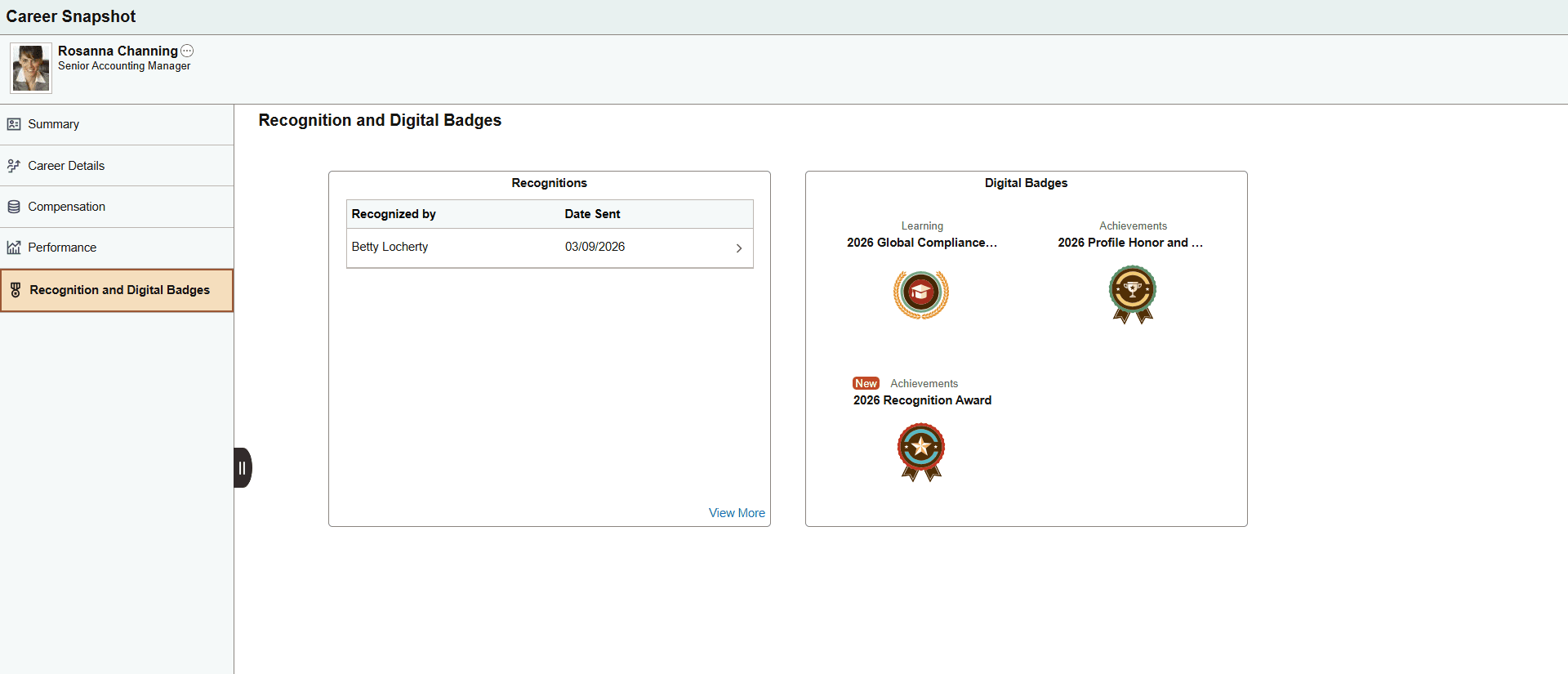
These tiles are delivered by default:
Note:
These tiles are delivered by default to appear on the Recognition and Digital Badges dashboard page of Career Snapshot; however, the administrator can move the tiles to appear on other Career Snapshot dashboard folders. The navigation in these topics references the delivered navigation.