Calculating Genuine Redundancy and Early Retirement Payments for Employees Over 65
From 1 July 2019, employees who would otherwise meet the basic requirements to qualify for a genuine redundancy or an early retirement scheme will have changed age conditions. To work out if the employee can access the tax-free limit based on the employee’s years of service, the aged based requirement of 65 years has been replaced with ‘Pension Age’.
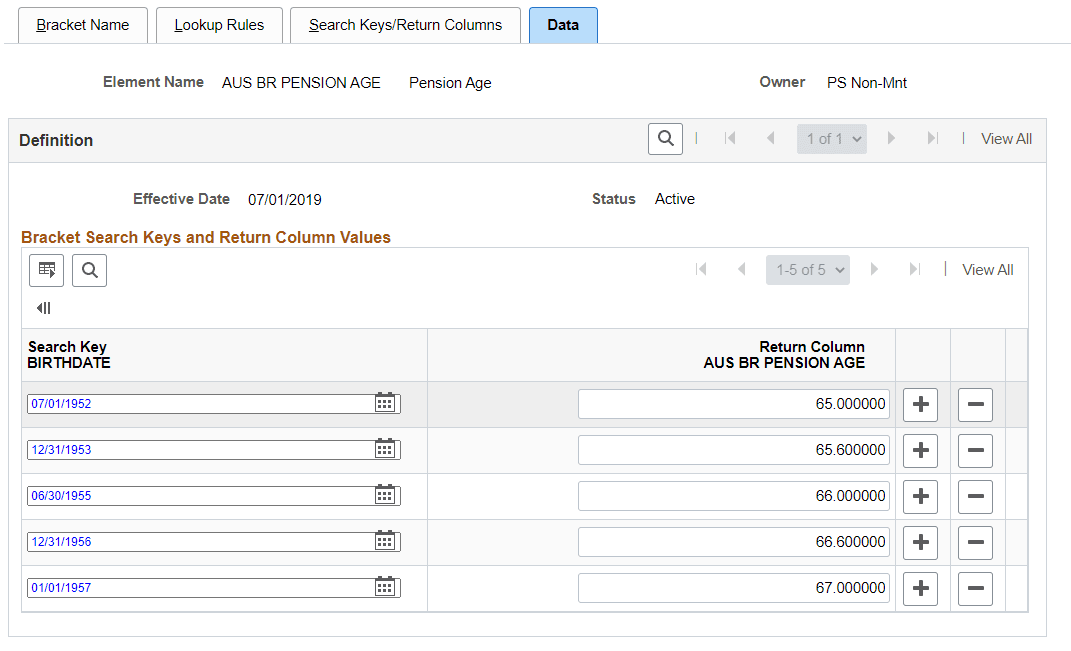
Use the bracket AUS BR PENSION AGE to pick the pension age based on the birth date of the employee.
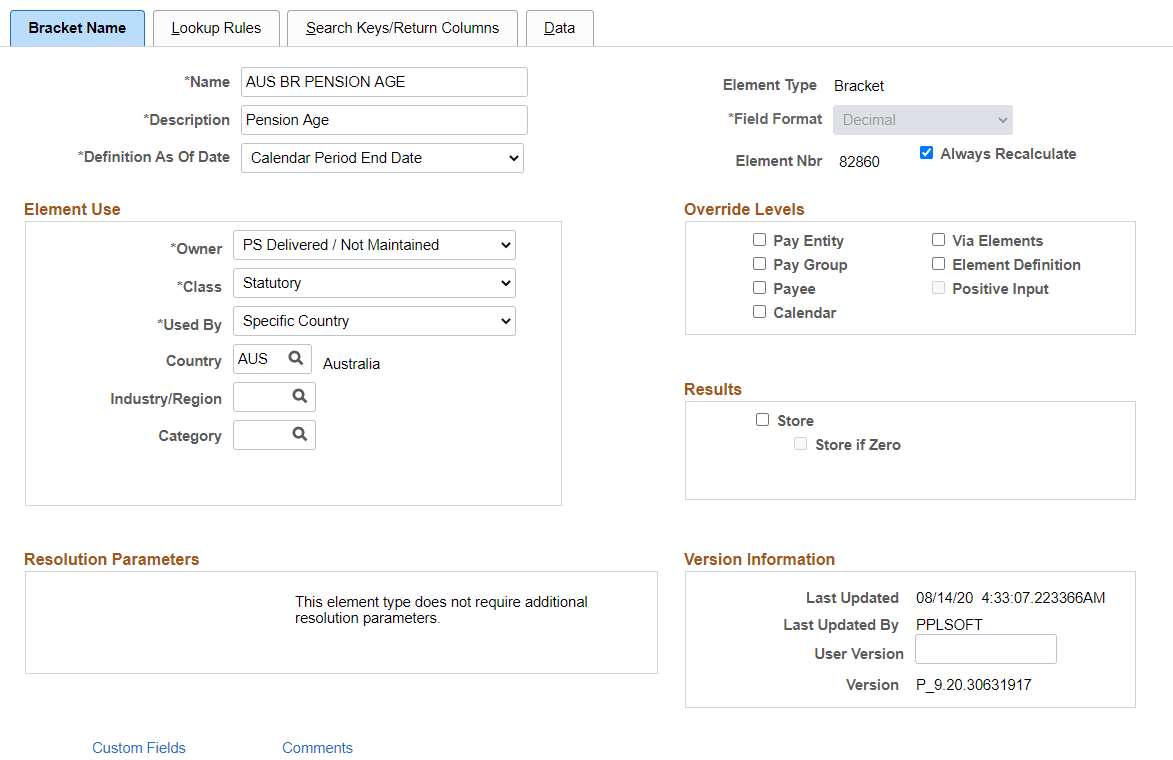
Bracket Name page when AUS BR PENSION AGE is selected. Use the Bracket Name page (GP_PIN) to define elements’s basic parameters.
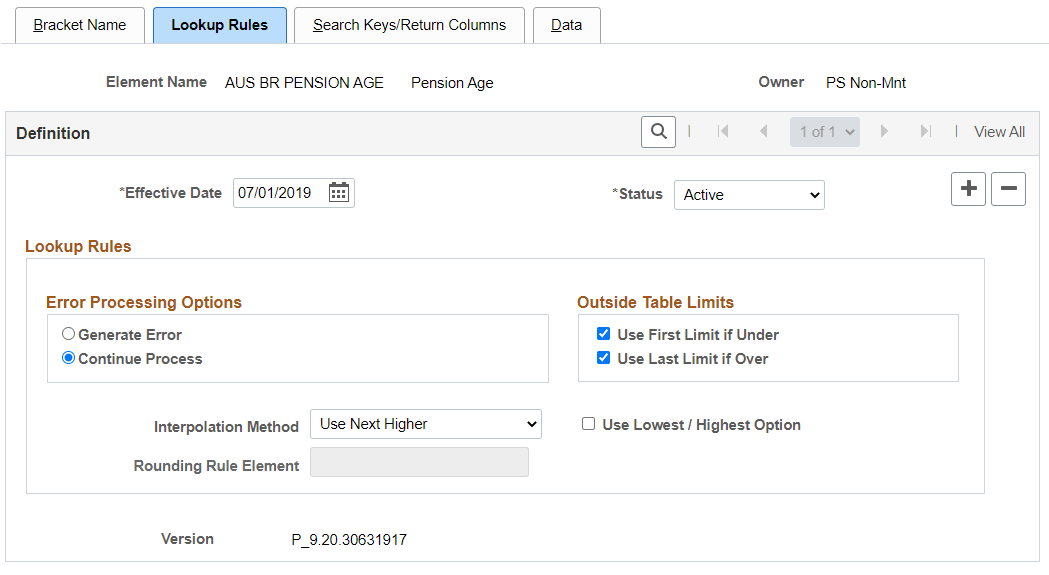
Lookup Rules Page when AUS BR PENSION AGE is selected. Here, the lookup rules for a bracket is defined.
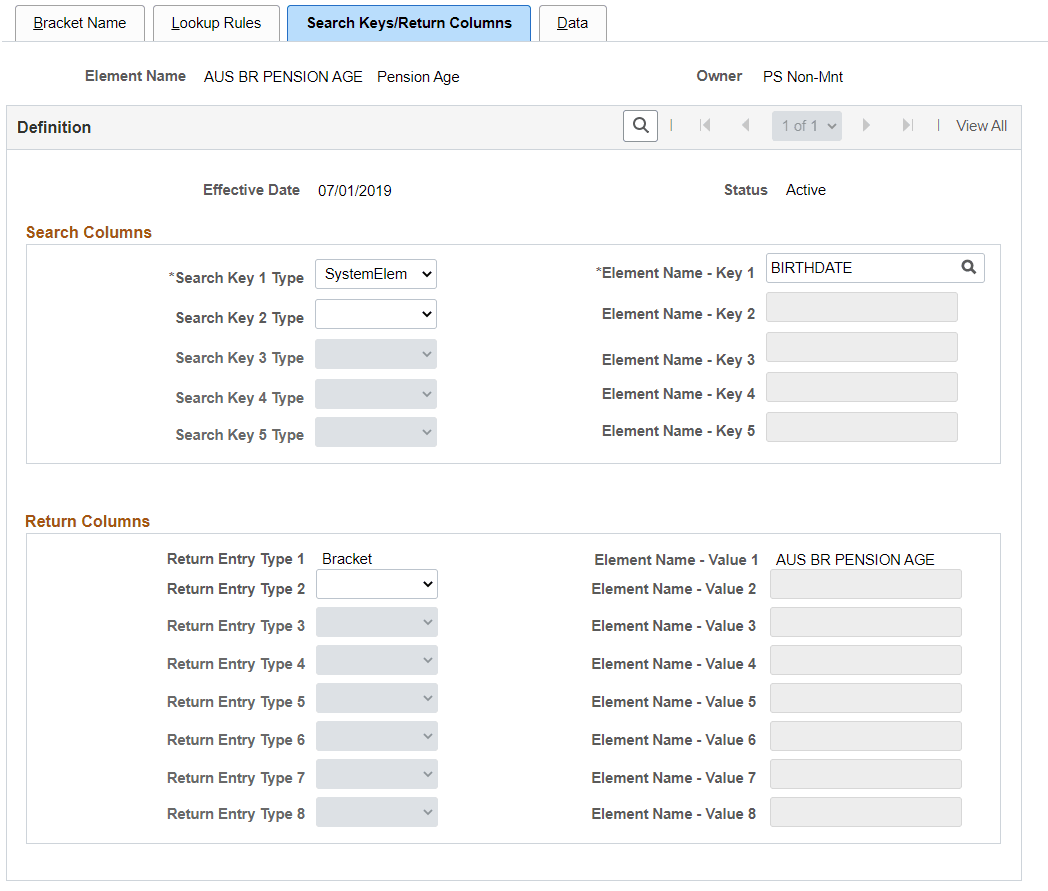
Search Keys/Return Columns Page when AUS BR PENSION AGE is selected. Use this page to identify the search keys and the return columns for the bracket.
Data Page when AUS BR PENSION AGE is selected. Here, the lookup values are entered.
For more information on Bracket Elements, see PeopleSoft Global Payroll: Defining Bracket Elements.
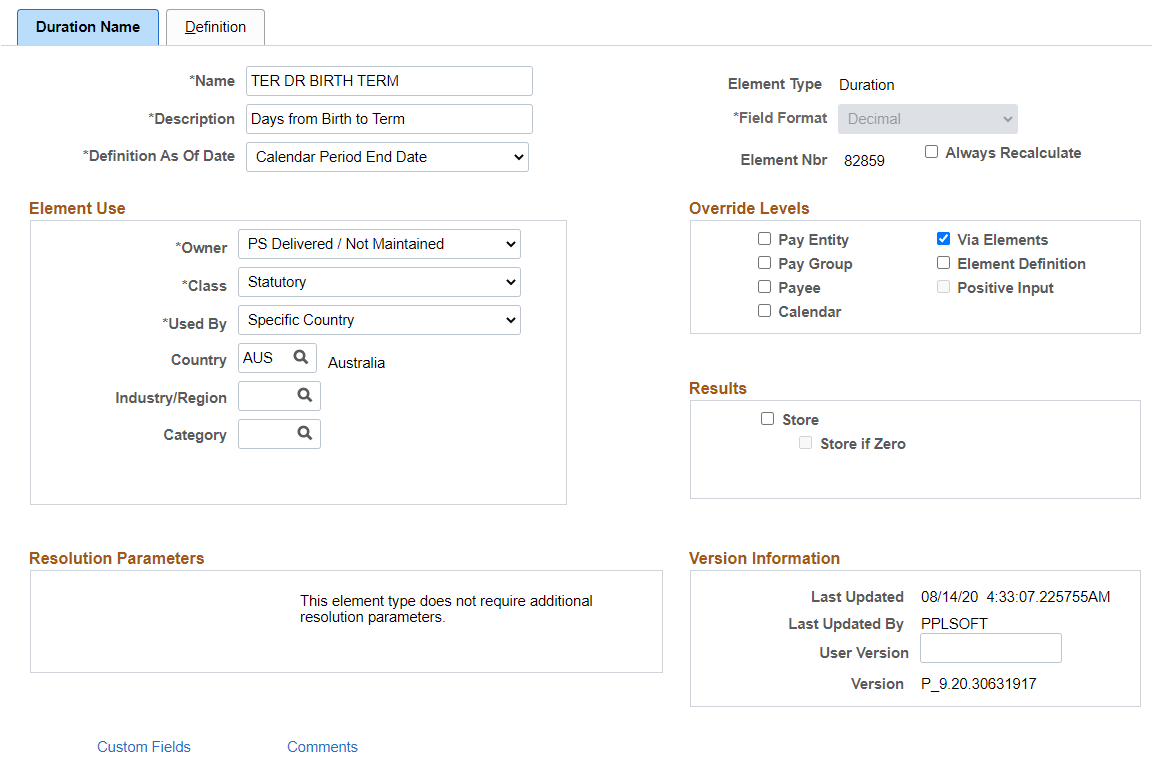
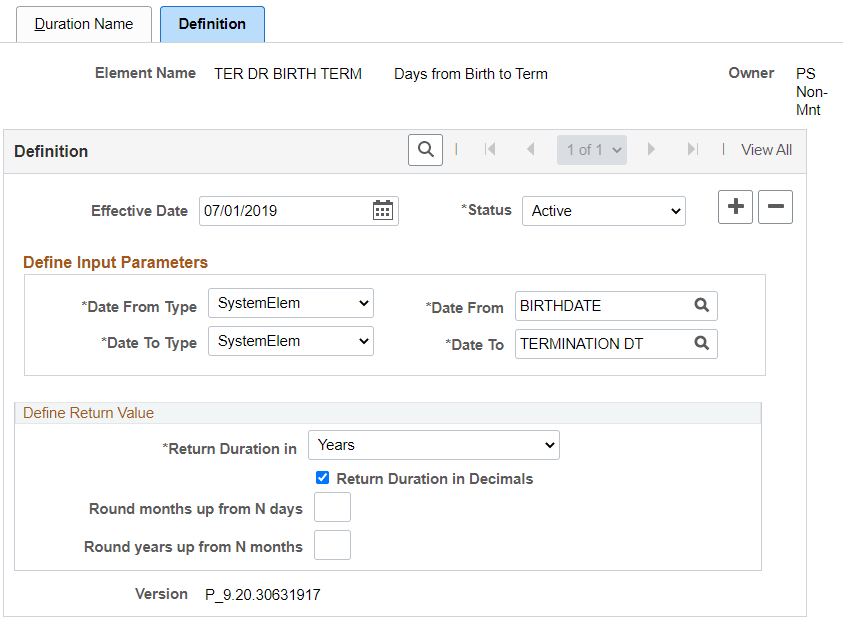
Once the pension age is identified using the bracket element, the duration of the employee from birth date till termination date (to compare with the pension age for identifying genuine redundancy or early retirement) is calculated using the Duration element: TER DR BIRTH TERM.
Definition Name Page when TER DR BIRTH TERM is selected.
Definition Page when TER DR BIRTH TERM is selected.
For more information of Duration Elements, see PeopleSoft Global Payroll: Defining Duration Elements.
Once, pension age and duration are identified, the redundancy and early retirement payments are calculated using the formula TERM FM LUMP D. For more information, see Calculating Lump Sum D.