Regularizing the Deduction for PAS
As a payroll administrator, you might need to correct the previously processed PAS data of employees as indicated by the administration. PeopleSoft supports regularization of the base value and rate value for PAS. When there is a regularization, the deduction gets processed based on the delivered deduction elements (PAS REGUL BASE and PAS REGUL RT).
Use the One Time (Positive Input) Page to regularize base and/or rate value for any of the previously processed period.
This example illustrates the One Time (Positive Input) Page.
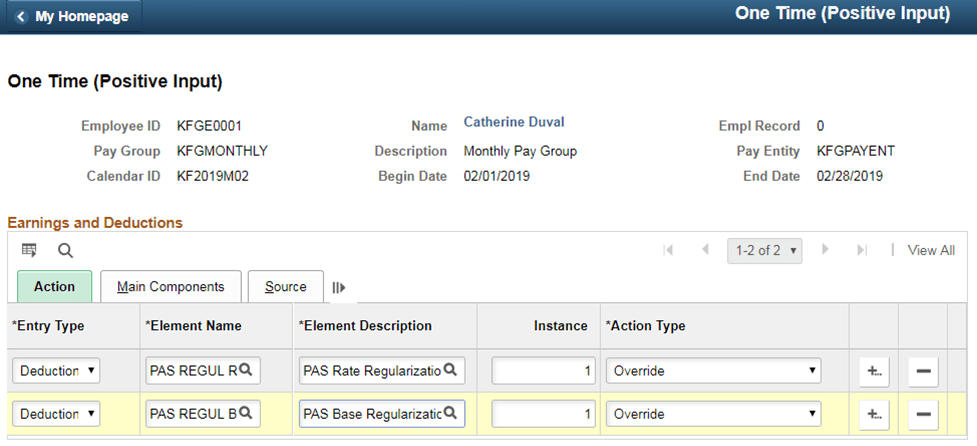
If the rate needs to be corrected (regularized), select the deduction element as PAS REGUL RT. If the Base needs to be corrected (regularized), select the deduction element as PAS REGUL BS.
Use the Positive Input - Details page (GP_PI_MNL_SEC) to enter regularized Base and Rate values. For PAS REGUL BS, enter the base value and for PAS REGUL RT, enter the rate value.
Note:
Ensure that you enter only a delta value.
This example illustrates the Positive Input - Details Page.
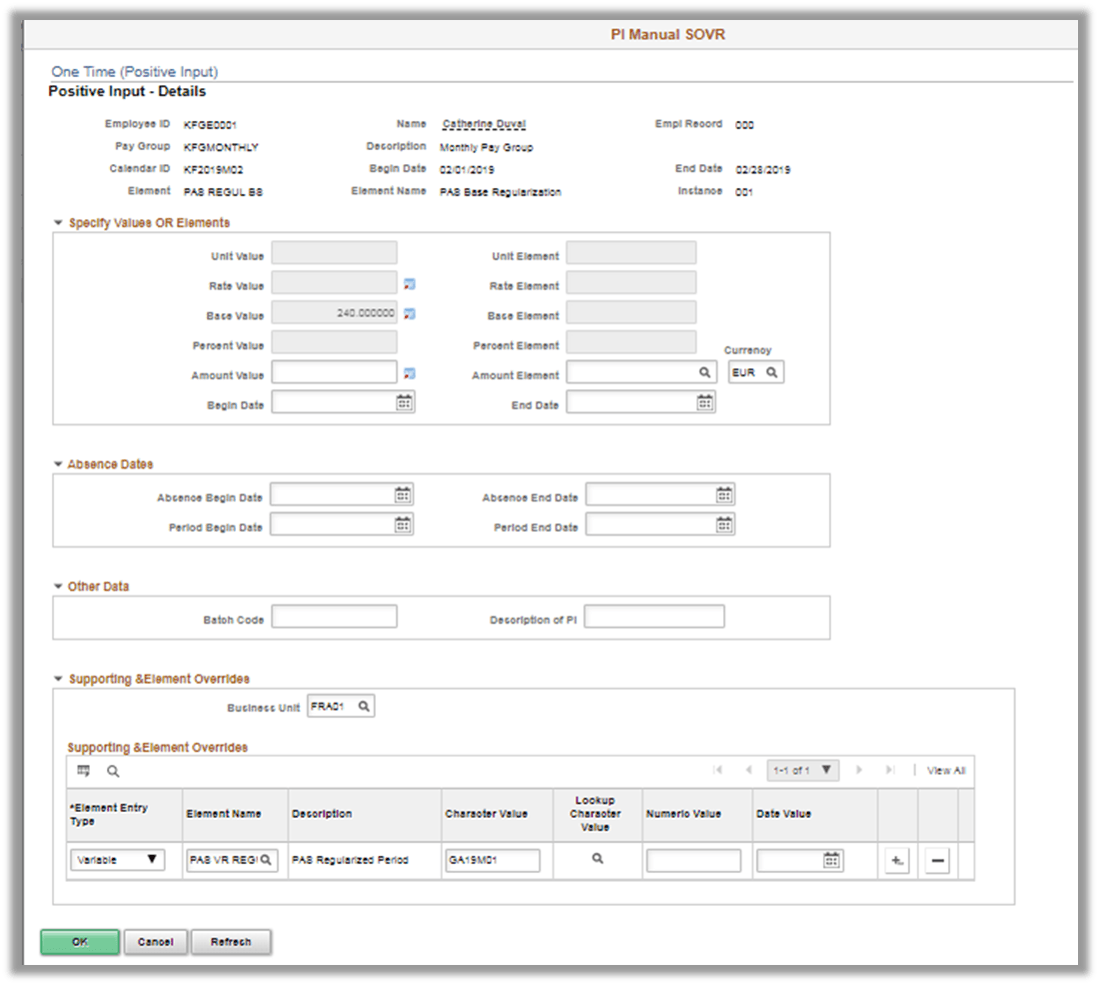
In the Supporting & Element Overrides section, select the period corresponding to the variable, PAS VR REGUL RATE, in which the base and/or rate value of the PAS deduction needs to be corrected.
During the current period payroll run, after deducting the PAS for the current period, system calculates the regularized deduction ( PAS REGUL BS and PAS REGUL RT) for the specified period (PAS VR REGUL RATE) based on the positive input and supporting element override information provided.