Generating e-Gov Reports for Labor Insurance
This topic discuss about the generation of different employment insurance reports for e-Gov.
Pages Used to Generate e-Gov Reports for Labor Insurance
| Page Name | Definition Name | Usage |
|---|---|---|
|
EI Create File for e-Gov JPN |
GPJP_RC_SC_RPT3 |
To generate e-Gov files for labor insurance. |
EI Create File for e-Gov JPN Page
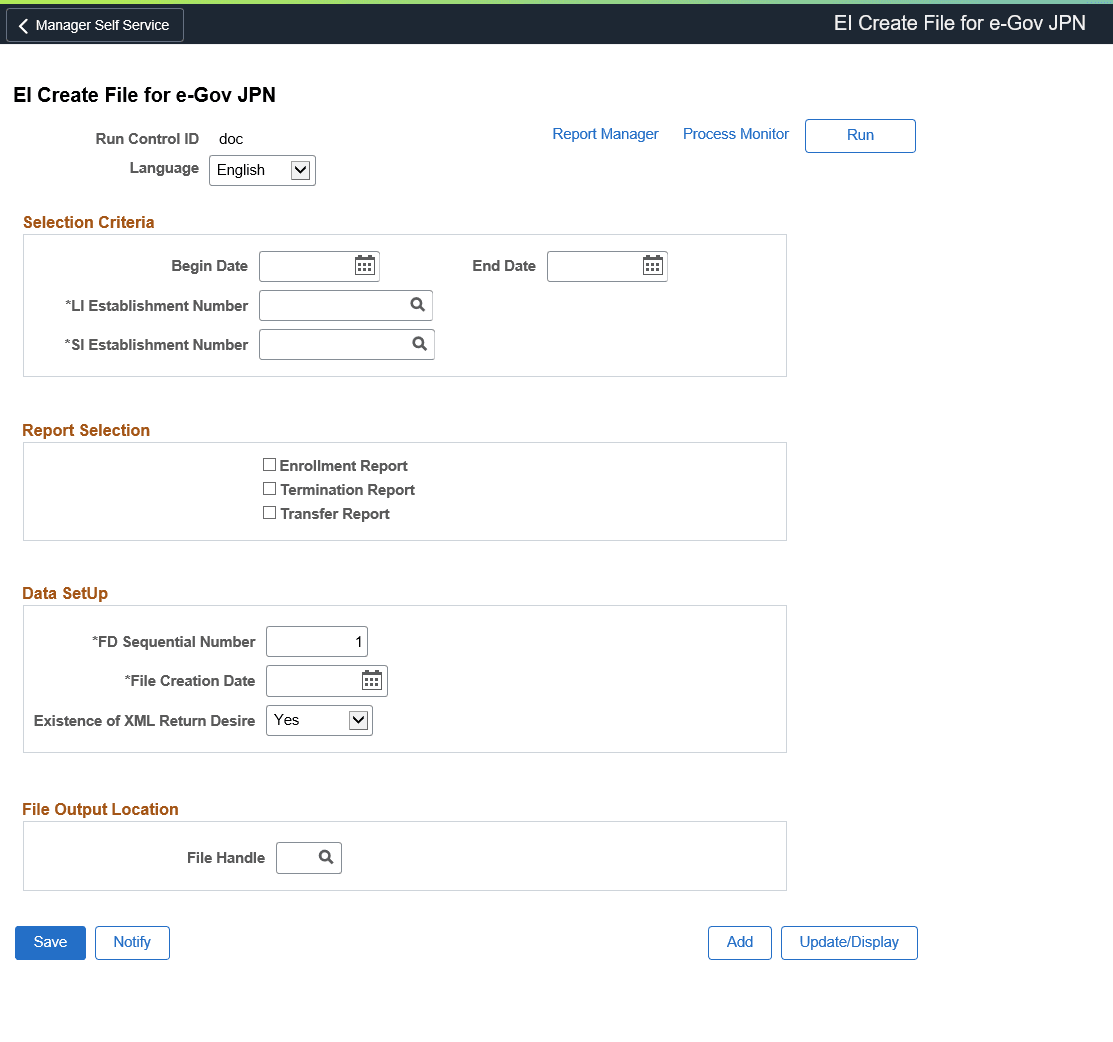
Use the EI Create File for e-Gov JPN page (GPJP_RC_SC_RPT3) to generate e-Gov files for labor insurance.
Navigation:
This example illustrates the fields and controls on the EI Create File for e-Gov JPN page.
| Field or Control | Description |
|---|---|
|
Begin Date and End Date |
Begin date indicates the date from which the report is generated. End Date indicates the date upto which the report is generated. |
|
LI Establishment Number and SI Establishment Number |
Select LI Establishment Number for which the report need to be generated. Select SI Establishment Number for which the report need to be generated. |
|
Enrollment Report |
Select this checkbox to generate employment insurance enrollment report. This report contains the details such as Employee personal information, contact information and Monthly Salary Paid. |
|
Termination Report |
Select this checkbox to generate employment insurance termination report. This report contains the details like Employee information, qualification information and separation details and reason. |
|
Transfer Report |
Select this checkbox to generate employment insurance transfer report. This report contains the information like employee personal information, previous location and current location details and relocation date. |
|
FD Sequence Number |
Enter the unique FD Sequence number. If the number of records exceeds 1000, then the FS sequence number will be generated automatically for the next file. |
|
File Creation Date |
Date on which the respective files are created. |
|
Existence of XML Return Desire |
Select ‘Yes’ if you want the XML file to be returned from e-Gov, else select ‘No’. By default, the value ‘Yes’ is displayed in this field. |
|
File Handle |
Select the delivered file handle LI to generate Labor insurance reports, or user can create a new file handle, if required. |