Setting Up Calendar Groups
If you are setting up a calendar group to process both absence and payroll, set up two calendars, one for payroll and one for absence. When you define the absence calendar use the Target Calendar field on the Definition page to identify the payroll calendar in which the processed absence is paid.
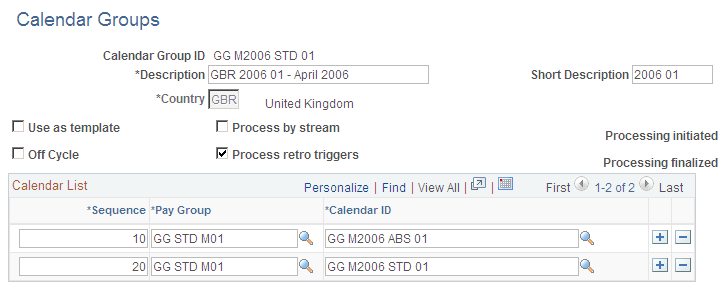
This means that you must define the payroll calendar before you can define the absence calendar. Here is an example of a calendar group for the U.K (select Set Up HCM, Product Related, Global Payroll and Absence Mgmt, Framework, Calendars, Calendar Groups):
This example illustrates the fields and controls on the Calendar Group page.
The PeopleSoft Global Payroll product documentation explains how to set up calendar groups.
Related Topics