Garnishment Summary USA Page
Use the Garnishment Summary USA page (GPUS_GRN_SUMM) to view summarized garnishment information for a payee.
Navigation:
This example illustrates the fields and controls on the Garnishment Summary USA page.
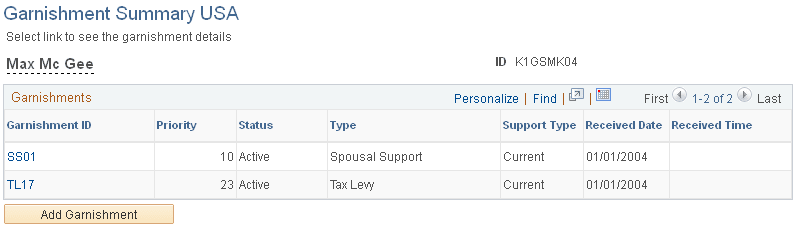
This page provides a one-line summary of every garnishment that a payee has assigned to him or her. It offers a quick way to view the priority and status of each of the payee's garnishments.
Each garnishment ID is a link that takes you to that exact garnishment instance on the Assignment page, where you can make changes to the garnishment's priority or status.
| Field or Control | Description |
|---|---|
|
Add Garnishment |
Select to access the Assignment page, where you can enter a new garnishment. |