Absence by Take and Type Pagelet
Use the Absence by Take and Type pagelet to analyze absence results by absence take and absence type.
This example illustrates the fields and controls on the Absence by Take and Type pagelet.
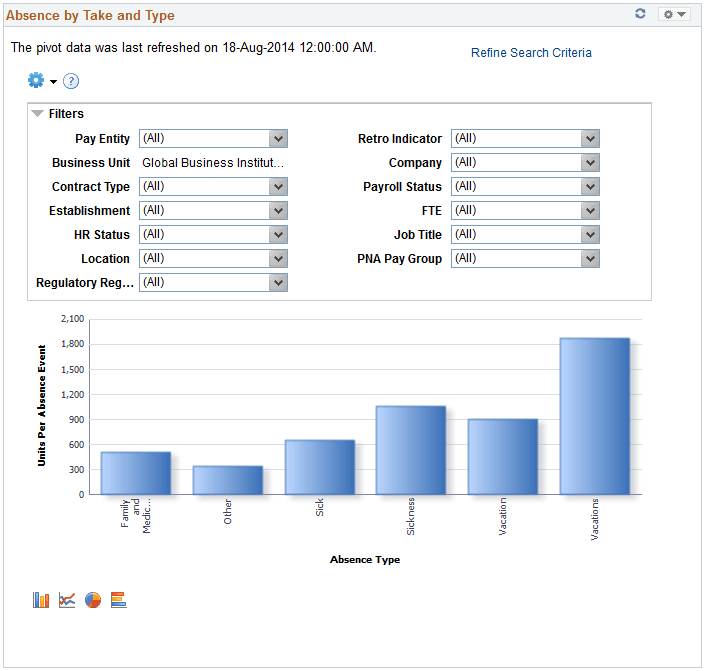
By default, this pivot grid displays a bar chart of the units per absence event by absence type.
Examples of what administrators can use this pivot grid to determine are:
-
The amount of sick leave taken reported by a specific department.
-
The amount of work-related absences for a specific calendar group.
| Field or Control | Description |
|---|---|
|
Refine Search Criteria |
By default, the pivot grid displays all the absence analytics data that you have loaded in your system. Click this link to access the Refine Search Criteria modal page, which enables you to analyze a smaller, refined set of data. After entering your search criteria, click Run to apply them. Click Save Criteria and Run if you want the system to apply these search criteria the next time you access the pivot grid. |