Delegating Document Approval Requests
Life Events document approval delegation enables the Benefits administrator to:
-
Create a delegation request to allow a proxy to approve the document on his/her behalf.
-
Review the list of transactions delegated and the proxy assigned for each transaction.
-
Revoke or withdraw the delegated authority when required.
The following illustrations display the steps to delegate authority for employee Life Event document approval:
Managing Delegations
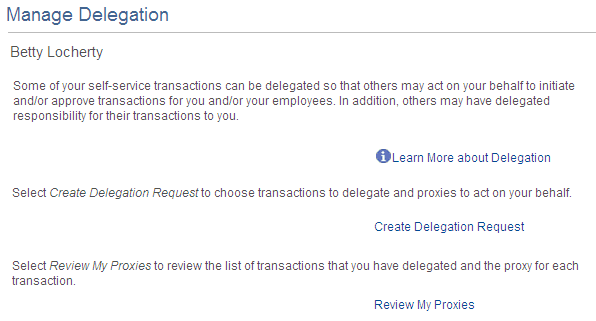
Use the Manage Delegation page to create the delegation request.
This example illustrates the fields and controls on the Manage Delegation page.
Entering Dates for the Delegation Request
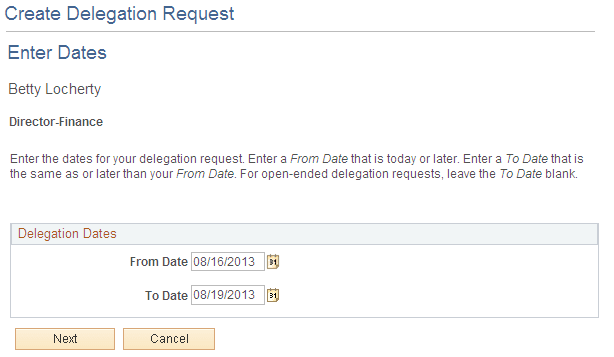
Use the Enter Dates page to select the date range for delegation.
This example illustrates the fields and controls on the Create Delegation Request — Enter Dates page.
Selecting Transactions for the Delegation Request
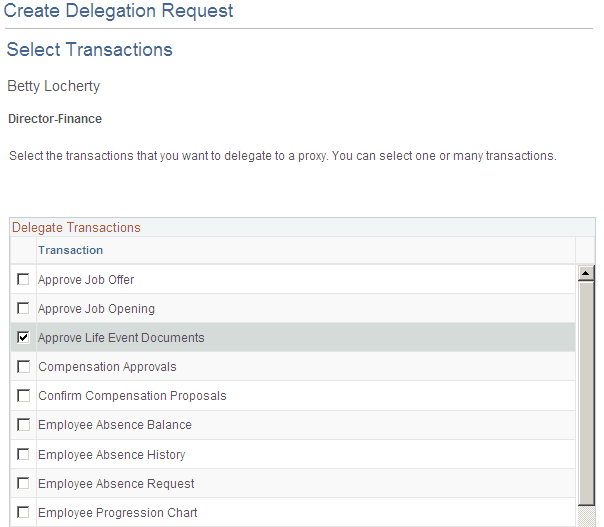
Use the Select Transactions page to select the transaction to be delegated authority. Select the Approve Life Event Documents transaction for Life Events document approval delegation.
This example illustrates the fields and controls on the Create Delegation Request — Select Transactions page.
Selecting Proxy by Hierarchy
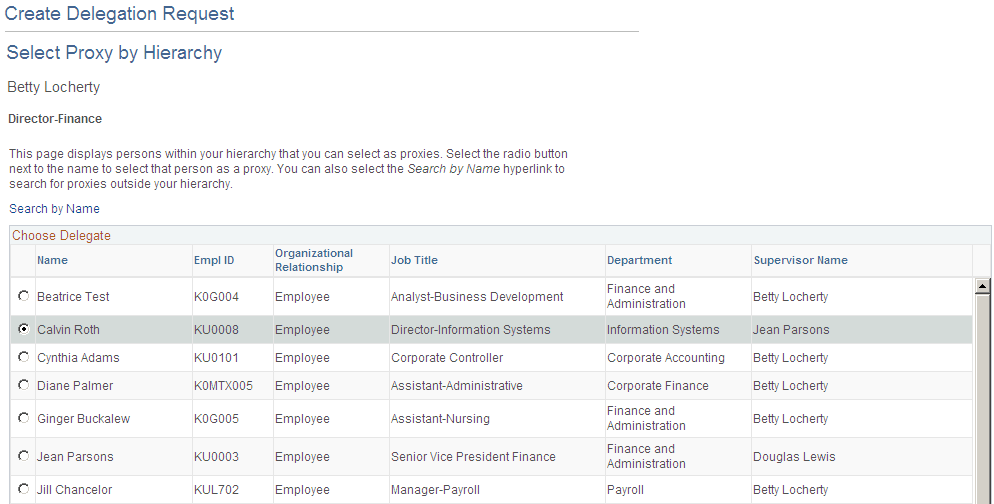
Use the Select Proxy by Hierarchy page to select the proxy to whom the authority of document approval should be delegated.
This example illustrates the fields and controls on the Create Delegation Request — Select Proxy by Hierarchy page.
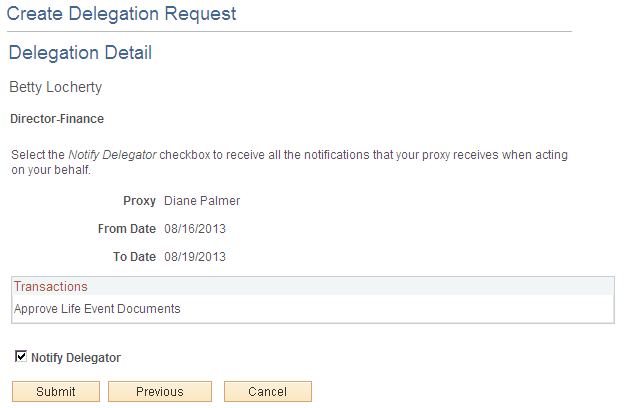
Viewing Delegation Detail
Use the Delegation Detail page to review the transactions selected for delegation and submit or cancel the delegation request depending on whether changes are needed. Select the Notify Delegator check box to receive a courtesy email notification on delegation. On submitting the request, the system automatically sends an email notification to the proxy to review and either accept or reject the delegation.
This example illustrates the fields and controls on the Create Delegation Request - Delegation Detail page.
Viewing Proxies
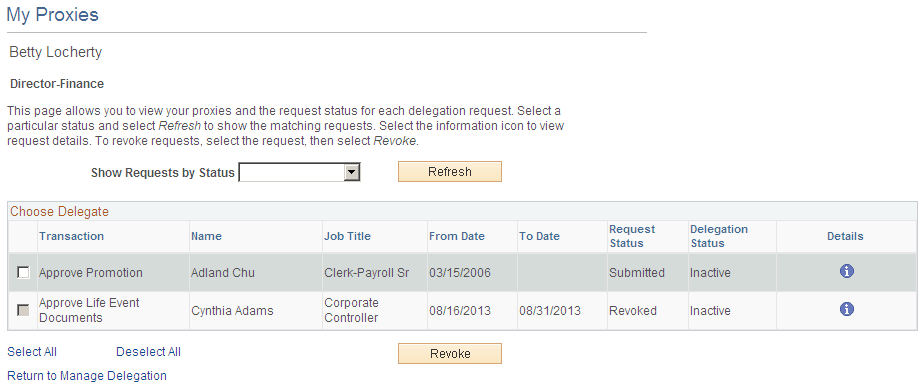
Use the My Proxies page to view all the proxies and request status for the delegation request. Additionally, use the My Proxies page to revoke any of the delegated transactions at any point in time during the delegation period.
This example illustrates the fields and controls on the My Proxies page.
Viewing Delegation Authorities
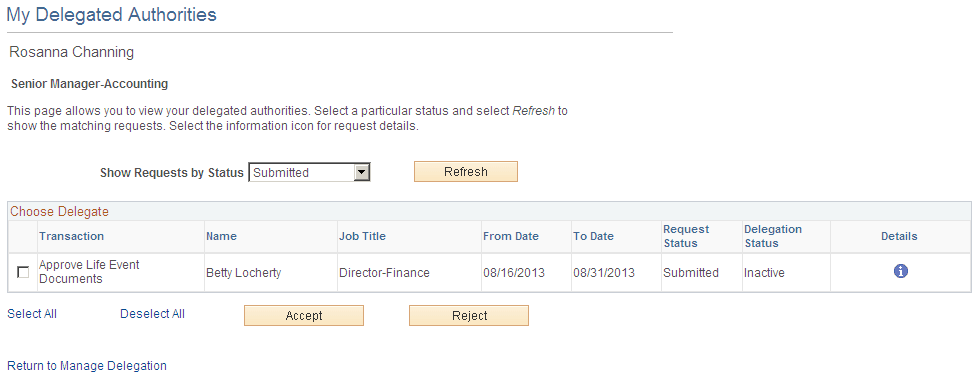
After the proxy receives the email notification for the delegation request, he/she can access the My Delegated Authorities page to accept or reject the request.
Use the My Delegated Authorities page to manage delegated authorities.
This example illustrates the fields and controls on the My Delegated Authorities page.
Selecting the Role for Document Approval
When approving employee Life Event documents, use the Select Role page to determine whether to process your own employee document approval transactions or the delegated approval transactions.
This example illustrates the fields and controls on the Select Role page.
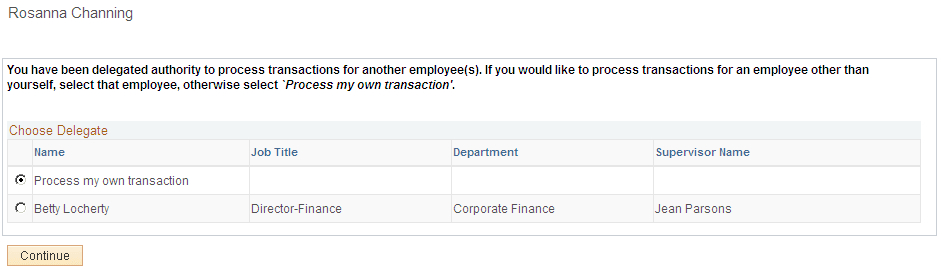
Click Continue to navigate to the Approve Document Upload page to approve Life Event documents. For more information, see section “Approving Life Event Documents”.